
Apartment Intercom Systems: A Complete Building Guide

Few pieces of building equipment touch every resident, every visitor, and every delivery the way the front-door intercom does. Whether you manage a 6-unit walk-up or a large elevator building, the right apartment intercom system shapes daily life, security, and in New York, compliance. This guide explains how these systems work, the choices that matter, and how to pick one that fits your building rather than the other way around.
We design and install these systems across the boroughs, so the goal here is practical: enough depth to make a confident decision, without the jargon. By the end you will know the difference between the options, the components involved, and the questions to ask before you buy.
In short, an apartment intercom system lets a visitor at the entrance reach a specific unit, lets the resident see or hear them, and lets the resident release the door from inside or from a phone. Modern systems add video, app access, and door control, but that core job is the constant.
What an apartment intercom system does
 At its heart, a multi-tenant intercom connects the locked front door to every apartment behind it. A visitor selects a unit, the system calls that resident, and the resident decides whether to let them in.
That simple loop solves a real problem in shared buildings: keeping the entrance locked for security while still letting residents admit guests, couriers, and service people without going downstairs. Everything else — video, apps, logging, access integration — is built on top of that fundamental exchange between the door and the unit.
It is worth appreciating how much rides on that exchange working smoothly. A resident expects to admit a friend in seconds, a courier expects a quick response, and the building expects the door to stay secure the rest of the time. When the intercom is reliable, none of this is noticed; when it fails, every one of those small interactions becomes a problem, which is why the quality of the system matters more than its feature list suggests.
Audio versus video intercoms
The first fork in the road is whether residents only hear visitors or also see them. Both are valid, and the choice affects cost and security.
- Audio intercoms: The classic buzzer lets residents talk to a visitor and press to unlock; it is inexpensive and familiar but offers no way to confirm who is actually there.
- Video intercoms: An apartment video intercom adds a camera at the door so residents see the visitor before opening, which is a meaningful security upgrade and now the default expectation in most buildings.
- The trend: Video has become standard because residents want to verify a face, not just a voice, especially for deliveries and unexpected callers.
For most New York buildings today, the practical decision is not whether to choose video but which video system fits. Residents have come to expect a screen at the door, and boards increasingly see it as basic security rather than a luxury, so an audio-only install is usually reserved for the tightest budgets or the simplest buildings.
Wired, 2-wire, and IP systems
How the system is wired determines a great deal about cost, especially in older New York stock. There are three common approaches.
- Legacy 2-wire: Many buildings still run on 2-wire cabling installed decades ago, and modern 2-wire systems can reuse it, which avoids the expense of new cable.
- Full IP: An IP building entry system runs over network cabling and offers the most features and flexibility, but may require new wiring.
- Hybrid: Many real-world installs mix approaches, using existing 2-wire where it tests clean and adding network gear where needed.
The practical headline is that reusing good 2-wire cabling can take thousands off a project, so the condition of your existing wiring is one of the first things a competent installer will check.
How residents answer the door
A modern system gives buildings a choice about where residents actually take the call, and this decision shapes both cost and resident experience.
- In-unit monitor: A wall-mounted screen in each apartment shows the visitor and has a button to talk and unlock, which suits residents who want a fixed, simple device.
- Smartphone app: With a cloud platform, the call goes to a resident’s phone, so they can answer from the couch or from across town.
- Both together: Many buildings offer an in-unit screen and the app, which covers tech-savvy residents and those who prefer a wall station alike.
The “both” approach is often the smartest for mixed-age buildings, because it does not force every resident into an app-only experience while still offering the convenience to those who want it.
There is also a maintenance angle to this choice. In-unit monitors are physical devices that live for years and occasionally need service, while the app shifts that endpoint onto a device the resident already maintains. Offering both spreads the building risk and keeps everyone covered if a phone is lost or a monitor ages out.
Key features to look for
Beyond the basics, a handful of features separate a system residents love from one they tolerate.
- Clear video: A sharp 2 MP camera with a wide view and good low-light performance makes the difference at a dim entrance.
- Fast response: Quality systems connect a call and release the door in about 1 second, which residents notice every day.
- Directory for larger buildings: A panel like a 10-inch directory screen handles a long tenant list cleanly where a row of buttons would not fit.
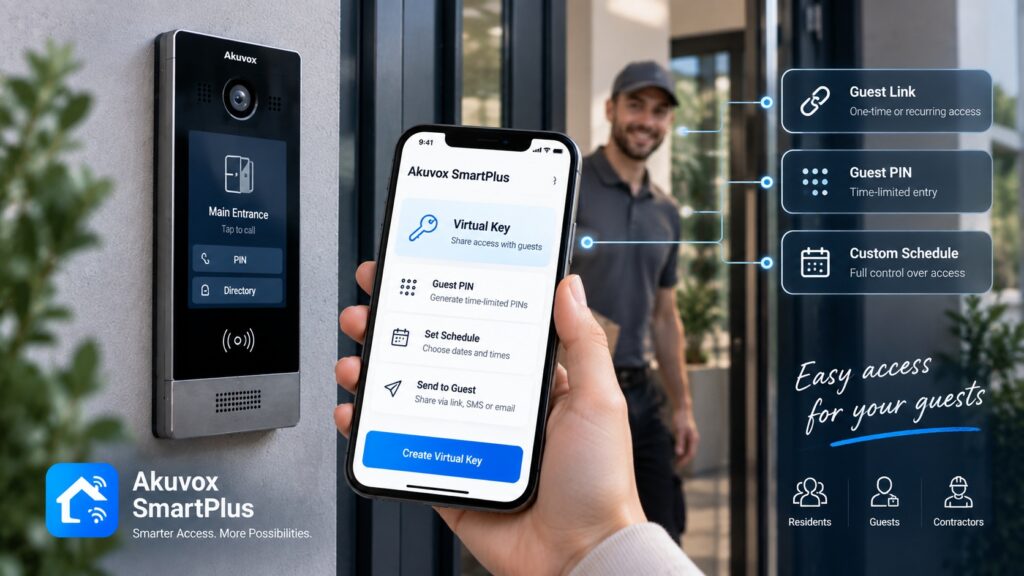
- Guest and delivery access: Temporary PINs or virtual keys let residents admit a courier or a dog walker without handing out a key.
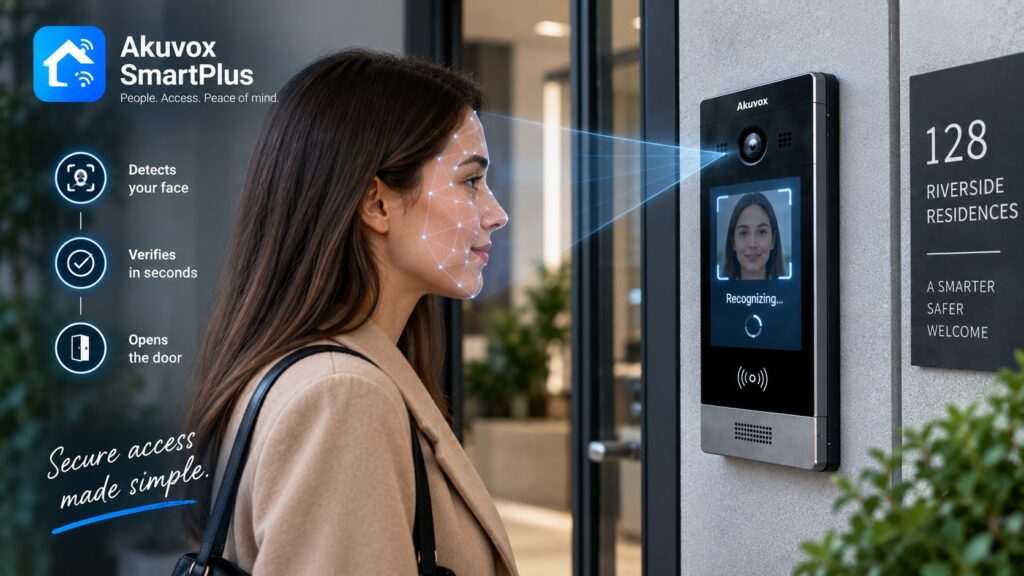
- Face entry option: Face recognition at the door speeds entry for residents and is available on several modern panels.
Door release and access integration
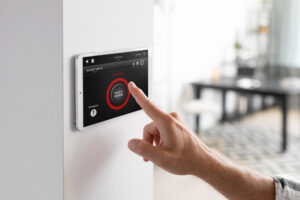 An intercom is only as useful as its ability to actually open the door, and modern systems treat entry and access as one system rather than two.
The intercom triggers a lock at the door — an electric strike or a magnetic lock — to release it for a few seconds when a resident grants entry. The best systems extend this into full access control, so the same platform that handles the buzzer also manages key fobs, cards, or mobile credentials for residents at the main door and at amenity spaces. Treating intercom and access as a unit keeps administration in one place and reduces the small errors that creep in when they are managed separately.
This integration also future-proofs the building. A system that already understands credentials at the front door can later extend to a garage, a gym, or a side entrance without bolting on a second product, so the intercom you choose today quietly sets the ceiling for how easily access can grow tomorrow.
The main components
It helps to know the parts you are paying for, because a quote will list them. A complete system has four building blocks.
- The door station: The panel at the entrance with the camera, call buttons or directory, and often a card reader or keypad.
- In-unit devices: The monitors or the app that residents use to answer and unlock.
- The controller and power: The behind-the-scenes equipment and power supply that run the system, usually in a closet or basement.
- The lock hardware: The electric strike or magnetic lock and its supply that physically secures and releases the door.
Cloud and app management
For managed buildings, the biggest modern shift is moving administration to the cloud. Platforms such as Akuvox SmartPlus put both residents and managers online.
Residents get video calls to a phone, remote unlock, and the ability to issue guest access, while property managers get a web portal to add or remove residents, oversee doors, and manage several buildings from one dashboard. For a manager, that cloud layer turns turnover and access changes into a few clicks instead of a basement visit, which is often worth as much as any door-side feature.
The cloud layer does introduce one dependency worth naming: the door hardware needs a connection for app calls and remote unlock to work. Buildings without reliable internet at the entrance, or that simply prefer not to depend on it, can run a capable wired system instead, which is a reminder that the right answer is the one that fits the building realities.
New York compliance basics
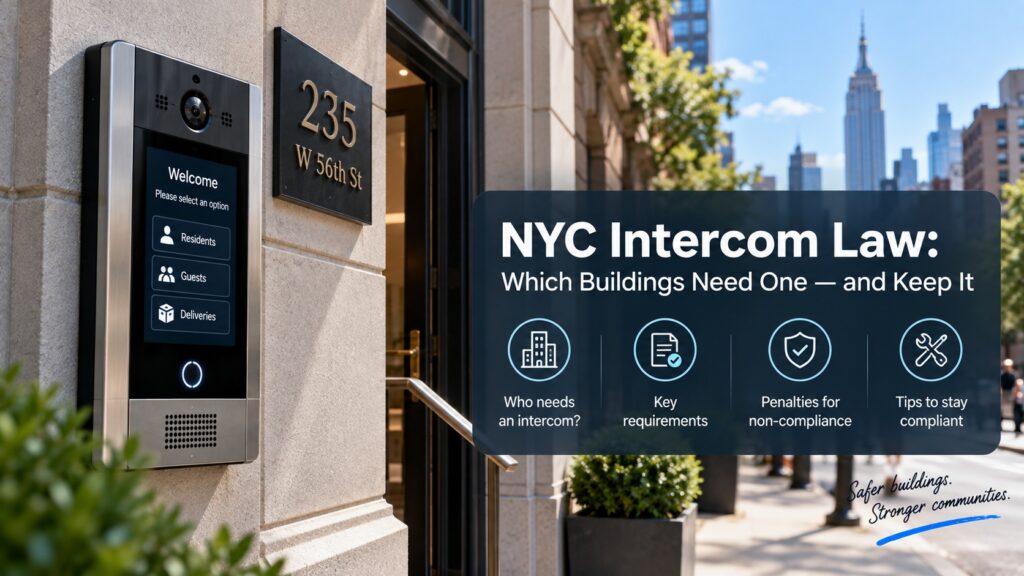
In New York City, the front-door intercom is not just a convenience; for many buildings it is part of meeting the city’s entry and security expectations. The points here are general information, not legal advice, so confirm the specifics for your building.
Broadly, qualifying multi-tenant buildings are expected to provide a working two-way intercom with door release at a self-locking entrance, and a non-working system can create exposure under the city’s housing rules. The Multiple Dwelling Law and the housing maintenance rules are the usual reference points. The practical takeaway for owners is simple: a reliable, working intercom is not optional in a covered building, which is why keeping it in good order matters as much as installing it.
Choosing a system for your building
The right system depends heavily on building size and resident mix. A few patterns hold across most projects.
- Small buildings, 2 to 8 units: A compact door panel with in-unit monitors or the app is usually plenty, and a 2-wire retrofit keeps it affordable.
- Mid-size buildings, 10 to 30 units: A directory panel, per-unit answering, and cloud management start to earn their keep as the tenant list grows.
- Large buildings, 40-plus units: A large directory panel, access integration, and a management portal handle the scale and turnover of a big building.
Across all sizes, the deciding questions are the same: how residents want to answer, what the wiring allows, and which features the building actually needs.
One more factor deserves weight: who will manage it. A building with on-site staff and a hands-on manager can run a feature-rich system comfortably, while a smaller self-managed building may value simplicity and a single point of contact more than a long feature list. Matching the system to the people who will operate it is as important as matching it to the building itself.
Installation and retrofit
Most New York projects are retrofits rather than new construction, and that is good news for budgets. An installer starts with a survey of the entrance, the wiring, and the unit count.
Where existing 2-wire cabling tests clean, the work is often a matter of swapping the door panel and adding in-unit devices, which keeps disruption low. Where wiring is damaged or absent, the project grows toward new cable runs. Either way, the cutover is planned so residents keep working entry until the new system is proven, and a typical building is a day or two of on-site work rather than a gut renovation.
Good installers also plan for the residents during the work, not just the wiring. Clear notice, a short cutover window, and a working entrance throughout the job are the difference between a smooth upgrade and a building full of complaints. The technical install is only half of a successful project; the other half is keeping the building livable while it happens.
Cost, maintenance, and lifespan
A system is a multi-year investment, so it pays to think past the install. Pricing scales mainly with unit count and wiring, and cloud systems add a recurring per-unit fee while owned systems keep ongoing cost low.
On upkeep, commercial-grade hardware is built to run for many years, and platforms that take firmware updates stay current well past install. Budgeting for occasional maintenance keeps an aging system reliable, and when failures become frequent, a modern upgrade is usually more economical than another round of patching. For a detailed estimate, the variables are specific enough that a quick look at your building beats any online figure.
Frequently asked questions
What is the best intercom system for an apartment building?
The best one matches your building: a video system with in-unit screens or an app, sized to your unit count, that reuses existing wiring where possible and meets New York’s entry expectations.
Do apartment intercoms need an app?
No, residents can use in-unit monitors, but an app adds remote answering and guest access, and many buildings offer both so no resident is forced into an app-only setup.
Can I upgrade without rewiring my building?
Often yes, because modern 2-wire systems reuse decades-old cabling, so many older buildings gain video and app access without opening walls.
What does a multi-tenant intercom cost?
It is priced mainly per unit, plus installation and any cloud fee, so unit count and wiring condition drive the total more than any single device.
How long does an apartment intercom system last?
Quality hardware runs for many years, and systems that accept updates stay current, so a well-installed building entry system is a long-term investment.
Is a working intercom required in NYC?
In covered multi-tenant buildings a working two-way intercom with door release is expected, which is why owners treat reliability as essential rather than optional.
If you are weighing an apartment intercom for your building, we can spec the right one and install it cleanly. Learn about systems for apartment buildings, see panels like the S539 directory station, or tell us about your building for a tailored plan.
Related Articles