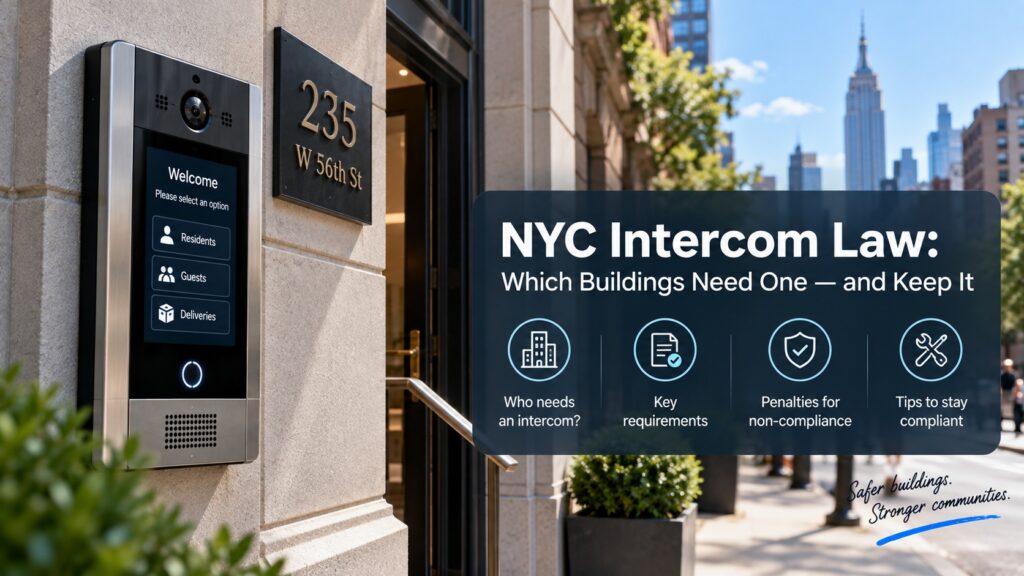

Intercom system for office & commercial buildings in Brooklyn
An office or commercial building can have dozens of people using the same entrance every day: employees, customers, business partners, delivery drivers, contractors, and other visitors. Not all of them should have unrestricted access. An intercom provides a practical way to communicate with a person at the entrance before deciding whether to let them inside.

Customized Security Solutions
We design tailored intercom and access control systems based on your property's unique requirements, ensuring the right fit for every project.

Professional Installation
Our experienced technicians handle every stage of the installation process, delivering reliable performance and attention to detail.

Advanced Technology
We provide modern, feature-rich solutions with cloud management, mobile access, and seamless integration capabilities.

Ongoing Support & Maintenance
From system setup to long-term service, our team is committed to keeping your security solutions operating efficiently.
A properly planned building intercom system in Brooklyn can connect an entrance with reception, individual employees, security staff, or other authorized users. Depending on the property, it can also work together with video surveillance, access control, automatic doors, elevators, and mobile devices.
What an Intercom Does for a Commercial Property
The primary role of an intercom in a business environment is to create a communication point between the entrance and the person responsible for visitor access.
A typical visitor process looks like this:
Visitor arrives → uses entrance station → reception or employee receives call → visitor is identified → access is approved or denied.
This can help businesses manage situations when a visitor does not have an access credential.
An intercom can be used to:
- Receive visitor calls.
- Communicate with customers and contractors.
- Identify visitors through video.
- Connect visitors with specific employees.
- Release compatible doors.
- Handle service and delivery requests.
- Support multiple entrances.
- Work with access control equipment.
- Provide mobile communication where supported.
The exact configuration should reflect the way the business actually uses its entrances.
Managing Visitors at the Main Entrance
The main entrance is often the most important location for visitor communication.
Different types of visitors may arrive throughout the day.
Clients and Customers
A customer can contact reception or the appropriate employee without entering restricted areas.
Contractors
A technician or maintenance worker can identify themselves before receiving access to the building.
Delivery Drivers
A driver can contact the person responsible for receiving a shipment without requiring a permanent access credential.
Business Partners
A visitor can communicate with an employee who is expecting the appointment and receive access after confirmation.
This makes the intercom useful when a business needs to distinguish between people who already have authorization and visitors who need to be verified first.
For properties where visitor communication is an important part of the entrance process, office door intercom system in Brooklyn configurations can be built around the company’s reception workflow and access requirements.
Reception and Employee Communication
A commercial entrance does not always need to call every employee.
Depending on the organization, the entrance station can be associated with:
- Reception.
- Security personnel.
- Office manager.
- Specific employees.
- Departments.
- Property management.
- Multiple authorized users.
A small office may need one answering point at reception. A larger commercial property may require different call destinations depending on the entrance or visitor’s purpose.
For example:
Main entrance → reception
Service entrance → facilities department
Loading area → warehouse staff
This type of routing can make visitor handling more predictable and reduce the need for employees to leave their work area whenever someone arrives.
A dedicated intercom phone system for office in Brooklyn can provide a convenient communication point for reception or authorized employees, depending on the building’s layout and required call routing.
Intercom for Different Commercial Entrances
A commercial property may have several entrances, each with a different purpose.
- Main Entrance. Usually intended for customers, guests, and business visitors.
- Employee Entrance. May be primarily controlled through employee credentials, with intercom communication available for exceptional situations.
- Service Entrance. Useful for contractors and maintenance personnel.
- Loading Entrance. Can provide a communication point for delivery and logistics personnel.
- Parking Entrance. Can be used to handle visitors who arrive by vehicle.
A multi-entrance project should not necessarily use identical settings at every location. Each entrance can be evaluated according to who uses it, what type of access is required, and who should receive the calls.
Video Intercom for Offices and Commercial Buildings
Video adds another source of information when an employee or receptionist receives a call.
Instead of relying exclusively on audio, the person answering can view the visitor through a compatible camera.
A video intercom system for business in Brooklyn can be useful when visual identification is part of the company’s visitor-management process.
This can be useful when:
- A customer is waiting at the main entrance.
- A contractor arrives for scheduled work.
- A delivery driver is at a loading entrance.
- An employee wants to confirm who is requesting access.
- Several people are standing near the entrance.
A camera should be positioned so that visitors can be seen clearly. Lighting, camera height, viewing angle, reflections, nighttime conditions, and the position of vehicles can all affect the result.
For a commercial property, video is most useful when it supports an actual visitor-management process rather than being installed simply as an additional feature.
Smartphone and Remote Intercom Access
Employees are not always sitting at the reception desk.
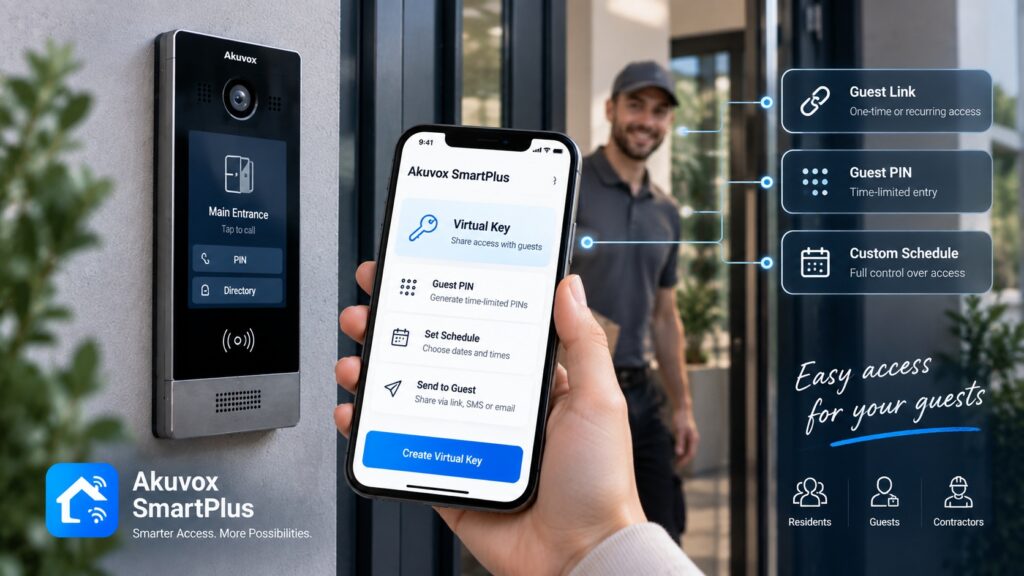
A compatible mobile configuration can allow authorized users to receive intercom calls on their smartphones and communicate with visitors remotely.
For example:
Visitor arrives → call is sent to an employee → employee answers remotely → visitor is identified → entrance is released if supported.
This can be useful for:
- Managers.
- Small businesses without permanent reception.
- Employees working flexible schedules.
- Property managers.
- Businesses operating outside standard office hours.
- Staff responsible for multiple entrances.
Mobile functionality can also be useful when a company does not want to install a dedicated indoor answering station at every location.
The actual capabilities depend on the selected intercom hardware, mobile application, network connection, and system configuration.
Intercom for Small Offices and Large Commercial Buildings
The requirements of a small office can be very different from those of a large commercial property.
Small Office
A small business may need:
- One main entrance.
- One intercom station.
- One or several employees who can answer calls.
- Door release.
- Optional video.
- Smartphone access.
The goal is usually to keep the system straightforward while providing a reliable way for visitors to contact the business.
For this type of property, an intercom system for small business in Brooklyn can be configured around a limited number of users and a simple visitor flow without adding equipment that the business does not need.
Medium-Sized Commercial Property
A larger office can require:
- Multiple entrances.
- Reception and employee call routing.
- Video intercom.
- Access control.
- Service entrances.
- Parking access.
- Multiple answering devices.
Large Commercial Building
A large property may have several tenants, departments, floors, parking areas, loading zones, and restricted areas.
In this case, the intercom can become part of a broader building access architecture that includes multiple entrance stations, access control, elevators, and mobile services.
The system should be scalable enough to accommodate the property’s current requirements and anticipated changes.
Intercom and Access Control for Business
Intercom and access control have complementary roles.
Intercom — visitor communication and verification.
Access control — authorization.
Door hardware — physical entry.
A typical visitor workflow is:
Visitor calls → employee communicates with visitor → access is approved → controlled door is released.
Employees can use their assigned credentials for regular access, while visitors can contact an authorized person through the intercom.
This allows the business to avoid giving permanent credentials to every contractor, customer, or delivery driver.
A commercial video intercom system with door release in Brooklyn can combine visitor communication with compatible entrance hardware, allowing an employee or receptionist to release the door after verifying the visitor.
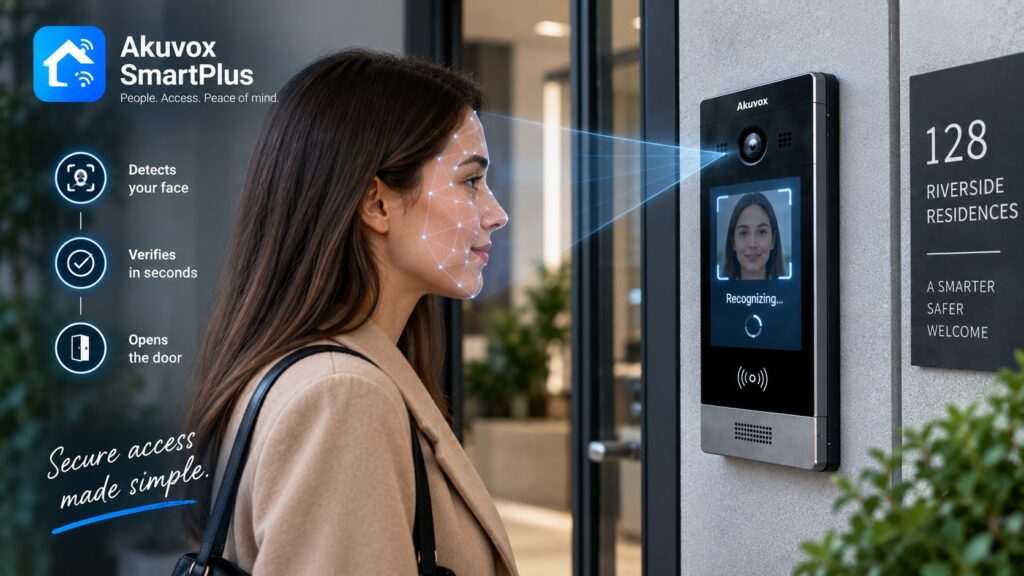
Access control can include cards, PINs, mobile credentials, biometric authentication, or other supported methods depending on the system.
Commercial Building Intercom and Common Areas
An intercom may also be relevant beyond the primary office entrance.
Large commercial properties can have controlled:
- Elevators.
- Parking areas.
- Loading docks.
- Storage rooms.
- Shared conference areas.
- Service corridors.
- Restricted floors.
- Tenant-only spaces.
For example, a loading entrance may need communication with warehouse staff, while an elevator may require separate authorization for access to restricted floors.
Connecting these functions can help create a consistent approach to building access instead of maintaining completely separate systems for each area.
The appropriate architecture depends on the building’s layout and the access control equipment already installed.
Wired and IP Intercom for Commercial Properties
The communication architecture should be considered before installation.
Wired Systems
A wired system can be suitable when the building already has appropriate cabling or when a dedicated connection between the entrance and answering station is practical.
It can be a good option for properties where the physical infrastructure is already established.
IP Intercom
An IP-based system uses network infrastructure to connect compatible devices.
It can be useful when a commercial property requires:
- Multiple entrance stations.
- Several answering points.
- Network-based communication.
- Integration with other IP equipment.
- Expansion to additional entrances.
- Mobile functionality.
An outdoor intercom system for business in Brooklyn should also be selected with the physical entrance environment in mind. Weather exposure, temperature changes, sunlight, mounting location, network connectivity, and available power can all influence the appropriate equipment.
The choice between wired and IP architecture should be based on the actual site. Network availability, cable routes, distance, switches, power requirements, and existing infrastructure should all be reviewed before selecting the equipment.
Replacing an Outdated Commercial Intercom
An old intercom can become a problem when visitors cannot reliably reach employees or the system no longer supports the company’s requirements.
Typical reasons for modernization include:
- Poor audio quality.
- No video.
- Broken entrance equipment.
- No smartphone functionality.
- Outdated indoor stations.
- Difficult maintenance.
- Limited access control integration.
- Obsolete wiring or components.
- Problems obtaining replacement parts.
Before replacing the system, inspect the existing installation rather than assuming that every component needs to be removed.
The assessment should include:
- Entrance stations.
- Indoor answering devices.
- Door locks.
- Automatic doors.
- Access controllers.
- Wiring.
- Network infrastructure.
- Power supply.
- Number of users.
- Number of entrances.
Depending on the property, some existing infrastructure may be reusable.
Choosing an Intercom System for Your Business
The right system depends on how visitors, employees, and service personnel interact with the property.
- Type of Business. An office, warehouse, retail location, professional practice, and multi-tenant commercial building can have different access requirements.
- Number of Entrances. Identify which entrances need visitor communication and which should remain employee-only.
- Number of Employees. Determine how many people need to receive calls and whether calls should go to a shared reception point or individual users.
- Visitor Volume. A business with several scheduled visitors each hour may require a different workflow from a small office that receives occasional guests.
- Reception. If there is a receptionist or security desk, determine whether all visitor calls should be directed there.
- Video. Consider whether employees need to visually identify visitors before allowing access.
- Mobile Access. Determine whether employees or managers need to handle visitor calls away from a fixed answering station.
- Access Control. Review whether the intercom needs to work with an existing or planned access control system.
- Future Expansion. Consider additional offices, tenants, entrances, parking areas, or changes to the company’s layout.
A practical selection process is:
Business requirements → entrances → users → visitor flow → video → mobile access → door hardware → access control → future expansion
This helps ensure that the selected equipment fits the actual operation of the property.
Akuvox Intercom Solutions for Offices and Commercial Buildings
Akuvox offers doorphones, indoor monitors, access control equipment, and mobile solutions that can be combined for commercial applications.
A commercial configuration can include:
- Video doorphones.
- Indoor monitors.
- Reception stations.
- Mobile communication.
- Access control terminals.
- Multiple entrance points.
- Door release.
- Elevator access.
- Network-based communication.
For example, the main entrance can use a video doorphone connected to reception, while a service entrance can communicate with a facilities or warehouse employee.
A compatible mobile configuration can also provide another way for authorized personnel to respond to visitor calls when they are away from a fixed station.
The appropriate equipment depends on the building’s size, number of entrances, visitor volume, network infrastructure, and access requirements.
Intercom Installation for Commercial Buildings in Brooklyn
A commercial installation should begin with an assessment of the property rather than with a specific device.
1. Property Assessment
The entrances, doors, gates, reception points, existing wiring, network, and access control equipment are reviewed.
2. System Planning
The required call points, answering locations, door-release functions, and communication routes are determined.
3. Equipment Selection
Doorphones, indoor monitors, access controllers, relays, and other components are selected according to the planned configuration.
4. Integration
The intercom is connected to compatible locks, automatic doors, access control systems, network equipment, and other required components.
5. Configuration
Users, call routing, entrance permissions, and other system functions are configured according to the property’s requirements.
6. Testing
Each entrance and visitor scenario should be tested to confirm that calls, video, communication, and door-release functions work correctly.
This approach is particularly important for larger commercial buildings, where a problem at one entrance can affect employees, visitors, deliveries, or tenants.
Get an Intercom System for Your Commercial Property in Brooklyn
A commercial intercom should be selected around the way the business operates rather than around the specifications of a single device.
Before planning the project, determine:
- Type of commercial property.
- Number of entrances.
- Number of employees.
- Expected visitor volume.
- Reception requirements.
- Need for video.
- Need for smartphone communication.
- Existing access control.
- Existing door hardware.
- Network and wiring infrastructure.
- Potential future expansion.
Akuvox NYC provides Akuvox intercom and access control products for office and commercial properties in Brooklyn. The appropriate configuration can be developed according to the building’s entrances, visitor workflow, employee requirements, and existing infrastructure.
If you are planning office intercom installation in Brooklyn, a site assessment can help determine the required equipment, wiring, integration, and system architecture.
Request a Quote to discuss an intercom solution for your office or commercial property in Brooklyn.
Other Services in BROOKLYN
Other Locations we Serve
FAQ
Yes. Depending on the system configuration, an entrance station can route calls to reception, a particular employee, department, or another authorized answering point.
Yes. Reception can serve as the primary answering point for the main entrance. Larger businesses may also route calls to additional employees or departments.
Yes. A commercial property can use multiple entrance stations, with each location configured according to its purpose and the users who need to receive calls.
Compatible systems can provide mobile communication, allowing authorized employees to receive and respond to visitor calls away from a fixed indoor station.
Yes. An intercom can work alongside compatible access control equipment. The intercom handles visitor communication, while access control manages authorized credentials and entry permissions.
It can be connected to compatible gate or parking access equipment. The exact configuration depends on the entrance hardware and the control interface available.
Yes. A dedicated service or loading entrance can use an intercom to connect delivery drivers and contractors with the appropriate employee or department.
Often, yes. The feasibility depends on the existing wiring, network, entrance hardware, locks, controllers, and replacement equipment. An assessment should be completed before deciding which components to retain.
IP intercom can be useful for properties with multiple entrances, answering stations, and network-connected devices. The building's network infrastructure and cabling should be evaluated to determine whether this architecture is appropriate.
The cost depends on the number of entrances, users, doorphones, indoor stations, access control components, wiring, network requirements, and installation scope. A project-specific assessment is needed to determine the total cost.
How It Works
Consultation & Needs Assessment
We discuss your property, security goals, and operational requirements to understand your specific needs.
Customized Solution Design
Our specialists recommend and design an intercom or access control solution tailored to your home, apartment building, or commercial facility.
Professional Installation
Certified technicians install and configure all system components, ensuring seamless integration and reliable performance.
Ongoing Support & Maintenance
We provide system testing, user training, maintenance, and technical support to keep your solution operating efficiently for years to come.
Get a Quote
Need an access control or intercom system? Tell us about your project and get a tailored solution from Akuvox NYC.
Other Services

Latest Articles