
IP intercom system in Brooklyn
An IP intercom uses a network connection to exchange audio, video, and control signals between an entrance station and authorized users. Instead of relying exclusively on dedicated intercom wiring, the system can use Ethernet infrastructure and compatible network devices to connect entrances with indoor monitors, computers, mobile devices, and access control equipment.

Customized Security Solutions
We design tailored intercom and access control systems based on your property's unique requirements, ensuring the right fit for every project.

Professional Installation
Our experienced technicians handle every stage of the installation process, delivering reliable performance and attention to detail.

Advanced Technology
We provide modern, feature-rich solutions with cloud management, mobile access, and seamless integration capabilities.

Ongoing Support & Maintenance
From system setup to long-term service, our team is committed to keeping your security solutions operating efficiently.
This architecture can be useful for a single entrance as well as properties with multiple doors, gates, users, and locations. The exact configuration depends on the existing network, number of access points, required communication methods, and the type of door or gate hardware.
What Is an IP Intercom System?
IP stands for Internet Protocol. In an intercom environment, it means that compatible devices communicate using network technology.
A simplified configuration looks like this:
Entrance station → Network → Indoor monitor / computer / smartphone → Door release
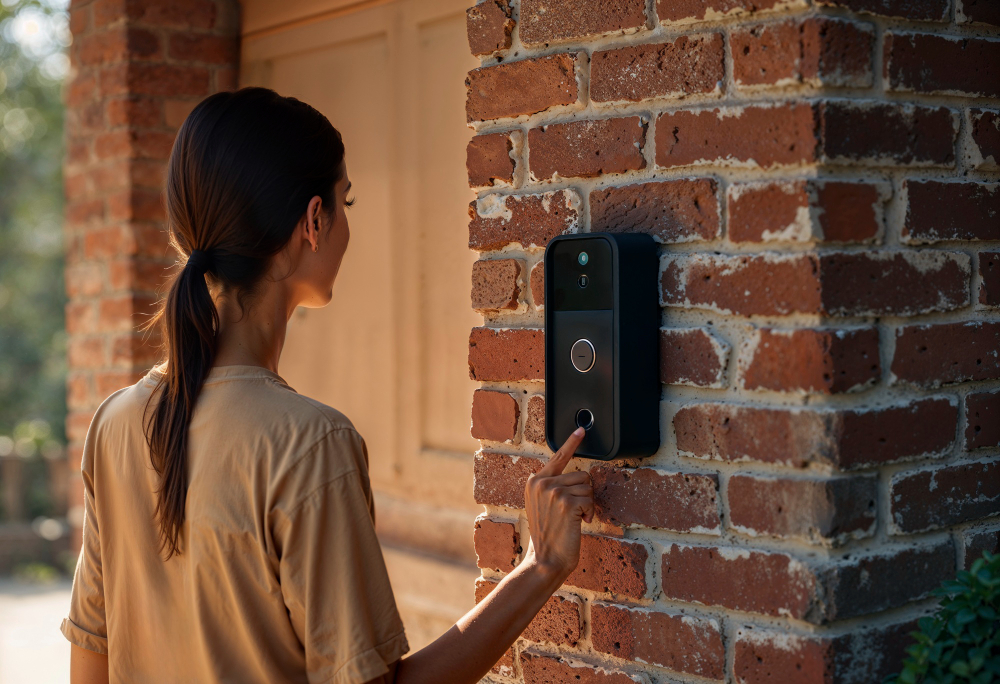
When a visitor presses the call button, the entrance station sends the communication through the network to the appropriate answering device. The user can then communicate with the visitor and, when the system is integrated with compatible access hardware, send a command to release the entrance.
An ip based intercom in Brooklyn can transmit:
- Two-way audio.
- Video.
- Call information.
- Access-control commands.
- Device management data.
- Mobile communication traffic where supported.
The network handles communication between devices, while a compatible lock, door controller, or gate operator is responsible for physically controlling the entrance.
How IP Intercom Communication Works
A typical visitor call involves several stages:
Visitor presses the call button → entrance station creates the call → network routes communication → authorized user answers → audio/video connection is established → access is released if approved.
The main components can include:
- IP entrance station.
- Network switch.
- PoE equipment.
- Indoor monitor.
- Access controller.
- Electric lock or door operator.
- Mobile application or cloud service where supported.
The exact architecture depends on the property. A small installation may have one entrance station and one monitor, while a larger building can require multiple network devices and answering points.
The advantage of this approach is that the intercom becomes part of the property’s network infrastructure instead of operating as an isolated communication system.
PoE and Network Connectivity
Power over Ethernet, commonly called PoE, can simplify the installation of compatible IP intercom devices.
With PoE, a suitable Ethernet connection can provide both:
- Network communication.
- Electrical power.
This can reduce the need for a separate power connection at the entrance station.
A typical installation may use an Ethernet cable between the entrance device and a PoE-enabled network switch. The switch provides network connectivity and power to compatible equipment.
The network should be evaluated before installation. Important considerations include:
- Ethernet cabling.
- PoE capacity.
- Available switch ports.
- Network bandwidth.
- Router configuration.
- Cable distance.
- Internet availability.
- Network segmentation.
For larger properties, it may also be useful to separate intercom traffic from unrelated network devices through appropriate network configuration.
IP Intercom vs. Traditional Intercom
Both systems can provide visitor communication, but their underlying architecture is different.
Traditional Intercom
A conventional system may rely on dedicated intercom wiring between the entrance station and individual answering devices.
It can be appropriate when an existing building already has compatible infrastructure and does not require extensive network-based functionality.
IP Intercom
An IP system uses network communication between compatible devices.
Potential advantages include:
- Easier connection of multiple network devices.
- Support for video communication.
- Integration with IP-based access control.
- Multiple answering points.
- Smartphone communication where supported.
- Greater flexibility when expanding the system.
However, IP does not automatically make every installation better. If a property has no suitable network infrastructure, adding Ethernet connectivity may require additional work.
The correct choice should therefore be based on the property’s existing infrastructure and functional requirements.
Where IP Intercom Systems Can Be Used
Network-based communication can be applied to many different types of access points.
- Multi-Entrance Properties. Multiple entrance stations can communicate through the same network infrastructure while serving different areas.
- Remote Communication. An answering device does not necessarily have to be located immediately next to the entrance.
- Multi-User Environments. Several authorized users can receive or manage calls depending on the system configuration.
- Properties with Existing Network Infrastructure. Buildings that already have appropriate Ethernet infrastructure may be able to incorporate IP intercom without creating a completely separate communication network.
- Sites Requiring Expansion. Additional entrance stations or answering devices can potentially be added as the property grows, provided the network and selected platform support the expansion.
This flexibility can make ip intercom systems in Brooklyn suitable for homes, offices, apartment buildings, commercial properties, gates, and other controlled entrances.
Video, Audio and Door Release over IP
An IP intercom can combine several functions within one communication architecture.
Audio
The entrance station establishes two-way voice communication between the visitor and authorized user.
Video
A camera-equipped station can transmit an image of the visitor to a compatible monitor or mobile device.
Door Release
After verifying the visitor, the authorized user can send an opening command to compatible access-control hardware.
An ip video intercom system in Brooklyn can combine these functions into a single visitor communication workflow:
Call → audio/video communication → visitor verification → access command → entrance release.
It is important to distinguish the communication equipment from the physical access hardware. The intercom does not necessarily unlock the door directly; it typically sends a command to a compatible controller, relay, lock, or gate operator.
IP Intercom and Access Control Integration
IP intercom and access control solve different parts of the entrance-management process.
Intercom → communicates with the visitor.
Access control → determines and manages authorization.
Lock or operator → physically controls the entrance.
For example, a visitor can use the entrance station to contact an employee. After verifying the visitor, the employee can release the door through the connected system.
An IP intercom can therefore provide a visitor communication layer while the access control platform manages employee credentials and permissions.
Depending on the project, access control may include:
- Card readers.
- PIN entry.
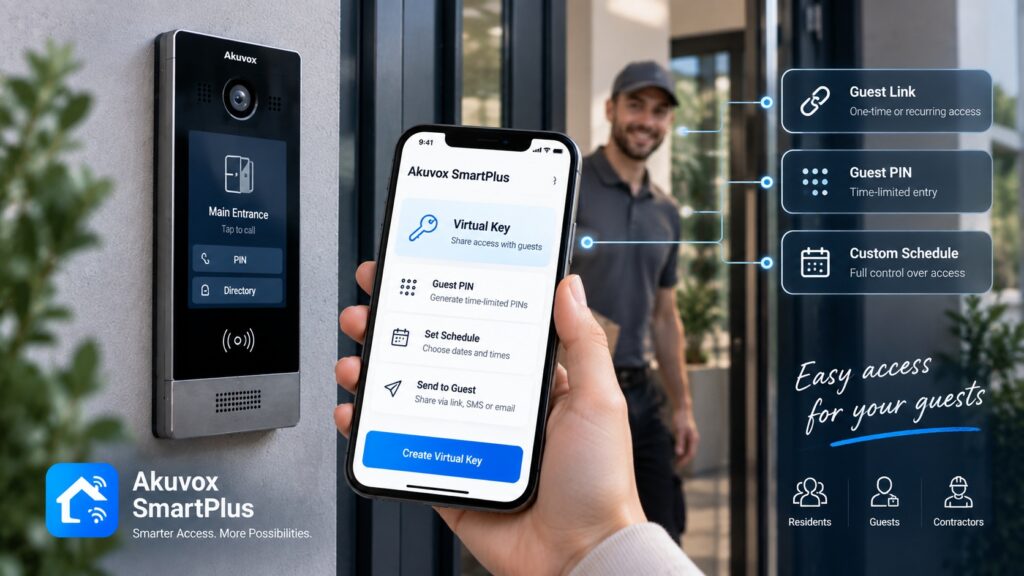
- Mobile credentials.
- Electric locks.
- Door controllers.
- Automatic doors.
- Gate operators.
Integration requirements should be confirmed before selecting equipment because the available control interfaces vary between devices.
IP Intercom with Smartphone and Remote Access
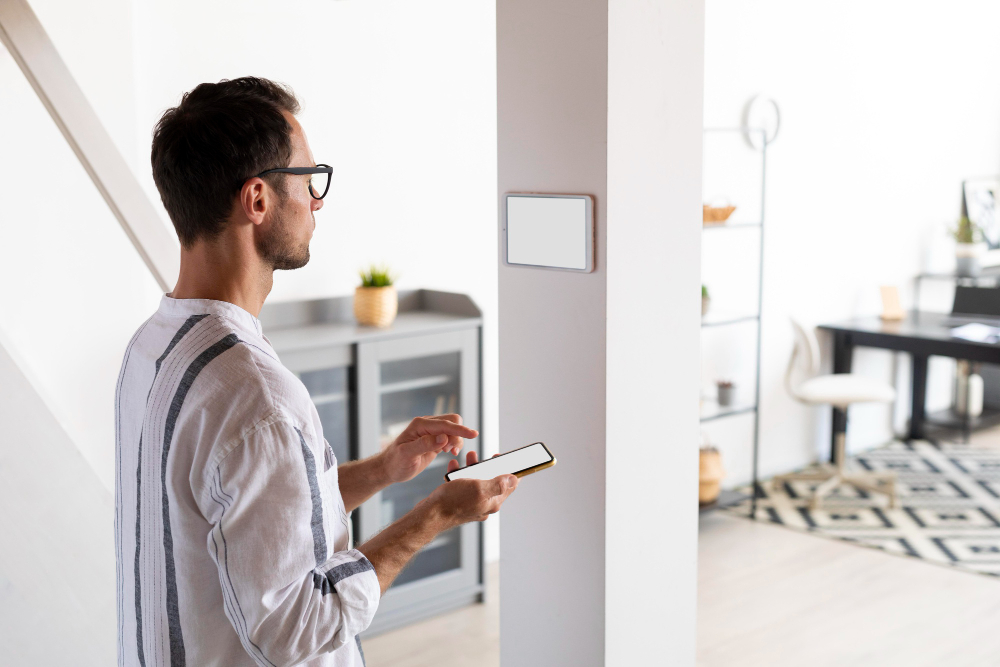
One of the practical advantages of network-based intercom technology is the ability to support communication with compatible mobile devices.
A typical remote visitor scenario can look like this:
Visitor arrives → entrance station sends a call → smartphone receives the call → user communicates with visitor → entrance is released if supported.
This can be useful when the authorized user:
- Is away from the entrance.
- Works in another part of the property.
- Manages multiple locations.
- Needs to handle visitors outside normal hours.
- Does not have access to a fixed indoor monitor.
Mobile functions depend on the selected platform and may require an internet connection, mobile application, account configuration, and compatible access hardware.
A reliable network is therefore an important part of any network-based remote access design.
IP Intercom for Multi-Entrance Properties
A property with several controlled entrances can use network-based communication to connect different stations.
Possible locations include:
- Main entrance.
- Side entrance.
- Service entrance.
- Parking entrance.
- Driveway gate.
- Restricted entrance.
The property can assign different functions to each station. For example, the main entrance may connect to reception, while a service entrance can contact a facilities employee.
For larger installations, the network architecture should account for the number of devices, cable distances, PoE requirements, available switch ports, and future expansion.
Centralized management can also make it easier to maintain multiple entrance devices, although the available management functions depend on the selected intercom platform.
Network Requirements for IP Intercom
A successful IP installation depends on more than simply connecting an entrance station to an Ethernet cable.
Ethernet Cabling
The cable must be appropriate for the installation and distance between network devices.
PoE Capacity
If the entrance station uses PoE, the network switch needs sufficient power capacity for the connected devices.
Network Bandwidth
Video communication requires more network resources than audio-only communication, particularly when multiple video streams are active.
Switches
The network needs enough ports for entrance stations, monitors, controllers, and other connected equipment.
Router
The router manages network communication and may be involved in remote-access functionality.
Internet Connection
Some mobile or cloud-based features require internet access, while basic communication within a local network may not require the same external connectivity.
Network Segmentation
For larger installations, separating intercom and access-control equipment from other network traffic can help with administration and security.
Wi-Fi
Wi-Fi can be useful for certain compatible devices, but it should not automatically be treated as the preferred connection for outdoor entrance stations. Wired Ethernet is often more predictable for fixed entrance equipment.
Cybersecurity and IP Intercom
Because IP intercom equipment connects to a network, security should be considered during system design and administration.
Practical measures include:
- Using strong administrator passwords.
- Limiting administrative permissions.
- Keeping device firmware updated.
- Managing authorized mobile accounts.
- Restricting unnecessary external access.
- Using appropriate network segmentation where required.
- Reviewing which users can release controlled entrances.
Remote access deserves particular attention because it can extend system functionality beyond the physical property.
Security settings should be configured according to the equipment manufacturer’s recommendations and the property’s network architecture.
IP Intercom for New Construction vs. Existing Buildings
The installation approach can be very different depending on whether the property is being built or renovated.
New Construction
A new project provides an opportunity to plan the infrastructure from the beginning.
The design can include:
- Ethernet cabling.
- PoE switches.
- Network equipment locations.
- Entrance station mounting points.
- Access-control wiring.
- Power requirements.
- Equipment rooms.
Planning these elements before construction can reduce the need for later modifications.
Existing Building
An existing property requires an assessment of the infrastructure already in place.
Check:
- Existing Ethernet cabling.
- Intercom wiring.
- Network availability.
- Distance to entrances.
- Door locks.
- Access controllers.
- Power supply.
- Existing gate equipment.
Not every existing cable can automatically be reused for an IP system. Its type, condition, distance, and compatibility with the planned equipment should be verified first.
Upgrading to an IP Intercom System
Replacing an outdated system with IP technology can be useful when the existing installation no longer meets the property’s requirements.
Common reasons include:
- Audio-only communication.
- Outdated video equipment.
- Dedicated handsets that are difficult to maintain.
- No smartphone functionality.
- Limited expansion options.
- Poor communication quality.
- Lack of access-control integration.
A sensible migration process is:
Existing system assessment → infrastructure check → IP architecture design → equipment selection → installation → configuration → testing.
The assessment should determine whether existing cabling, locks, door controllers, and network equipment can remain.
In some properties, only the entrance and answering devices need to be replaced. In others, the network and access-control infrastructure may also require modernization.
Choosing the Right IP Intercom System
The equipment should be selected after the property and network requirements are established.
- Number of Entrance Stations. Determine how many doors, gates, or other access points require intercom communication.
- Number of Users. Consider how many residents, employees, receptionists, or property managers need to answer calls.
- Video Requirements. Determine which entrances require cameras and whether users need live video.
- Indoor Devices. Decide whether users need dedicated monitors, desktop stations, smartphones, or a combination of these options.
- PoE Availability. Check whether the existing network can provide PoE to the planned devices.
- Network Infrastructure. Review cabling, switches, bandwidth, router configuration, and internet availability.
- Door and Gate Integration. Identify the locks, automatic doors, gate operators, or access controllers that need to work with the intercom.
- Mobile Access. Determine whether remote communication or entrance release is required.
- Number of Locations. For businesses or property managers overseeing multiple sites, consider whether the platform can support the required locations.
- Future Expansion. The system should have enough capacity for additional entrances or users if the property is likely to expand.
A practical selection process is:
Property → network → entrances → users → access control → mobile requirements → scalability
This approach helps avoid choosing equipment based only on individual specifications.
Akuvox IP Intercom Solutions
Akuvox provides IP-based doorphones, indoor monitors, access control equipment, and related communication solutions.
A configuration can include:
- IP video doorphones.
- Indoor monitors.
- PoE-connected devices.
- Access control terminals.
- Door-release functions.
- Smartphone communication.
- Multiple entrance stations.
- Network-based management.
For example, an entrance station can connect to the building’s network and communicate with an indoor monitor or compatible mobile application. A connected access controller can then handle the door-release function.
Akuvox equipment can be used in residential and commercial environments, but the appropriate models and configuration depend on the number of entrances, network infrastructure, required features, and access hardware.
IP Intercom Installation in Brooklyn
Installation should begin with an assessment of both the entrance and the network.
- Site and Network Assessment. The existing entrances, cabling, network equipment, locks, gates, and access controllers are reviewed.
- System Design. The required architecture is developed based on the number of devices, users, entrances, and communication methods.
- Cabling and PoE. Network connectivity and power requirements are determined for each IP device.
- Equipment Installation. Entrance stations, monitors, controllers, and other components are installed in their planned locations.
- Integration. The intercom is connected to compatible locks, access-control equipment, automatic doors, or gate operators.
- Configuration. Users, call routing, mobile functions, network settings, and other supported features are configured.
- Testing. Audio, video, network communication, mobile functions, and door-release commands should all be tested before the system is placed into regular use.
A structured installation process is particularly important when the IP intercom is being integrated into an existing network or access-control system.
Get an IP Intercom System in Brooklyn
An IP intercom should be designed around the property’s network and entrance requirements rather than selected as a standalone device.
Before planning the project, it is useful to determine:
- Type of property.
- Number of entrances.
- Existing intercom.
- Existing Ethernet infrastructure.
- Number of users.
- Video requirements.
- PoE availability.
- Door or gate hardware.
- Access control requirements.
- Smartphone requirements.
- Potential future expansion.
Akuvox NYC provides IP intercom and access control equipment for residential and commercial properties in Brooklyn. The appropriate configuration can be selected according to the property’s network infrastructure, entrances, users, and required functions.
If you are planning ip door intercom in Brooklyn, a site and network assessment can help determine the equipment, cabling, integration, and configuration required for the project.
Request a Quote to discuss an IP intercom solution for your property.
Other Services in BROOKLYN
Other Locations we Serve
FAQ
An IP intercom is a communication system that uses network technology to transmit audio, video, and supported control signals between compatible entrance stations and answering devices.
An IP entrance station can connect to a network through Ethernet. Depending on the equipment, the same Ethernet connection may also provide power through PoE.
Not necessarily for all functions. Communication between devices on the same local network can operate without external internet access, while certain remote or cloud-based functions may require an internet connection.
Yes. Compatible IP intercom devices can use Power over Ethernet, allowing network data and electrical power to be supplied through a suitable Ethernet connection.
Compatible platforms can allow users to receive and answer intercom calls through a smartphone. Remote access functions depend on the selected equipment and service configuration.
Yes. An IP intercom can communicate with a compatible access controller or relay that controls an electric lock. Compatibility should be confirmed before installation.
Yes. An appropriate interface can connect the intercom with a compatible gate operator. The intercom provides the control signal while the gate operator performs the opening operation.
IP intercom can provide greater flexibility for properties that need network communication, multiple devices, video, mobile access, or future expansion. A traditional system may still be appropriate when existing infrastructure and requirements are simpler.
In many cases, yes. The existing wiring, entrance hardware, locks, access controllers, and network infrastructure should be assessed to determine which components can be reused.
The cost depends on the number of entrances, IP devices, users, network requirements, PoE equipment, access-control integration, wiring, mobile functions, and installation scope. A site assessment is needed to determine the project-specific cost.
How It Works
Consultation & Needs Assessment
We discuss your property, security goals, and operational requirements to understand your specific needs.
Customized Solution Design
Our specialists recommend and design an intercom or access control solution tailored to your home, apartment building, or commercial facility.
Professional Installation
Certified technicians install and configure all system components, ensuring seamless integration and reliable performance.
Ongoing Support & Maintenance
We provide system testing, user training, maintenance, and technical support to keep your solution operating efficiently for years to come.
Get a Quote
Need an access control or intercom system? Tell us about your project and get a tailored solution from Akuvox NYC.
Other Services
Latest Articles