
Access control system for office & commercial buildings in Queens
Office and commercial properties rarely need the same access rules for every person. Employees may require access to their workplace during specific hours, managers may need additional permissions, and IT personnel may require entry to restricted rooms. Contractors, vendors, and visitors usually need a different access workflow altogether.

Customized Security Solutions
We design tailored intercom and access control systems based on your property's unique requirements, ensuring the right fit for every project.

Professional Installation
Our experienced technicians handle every stage of the installation process, delivering reliable performance and attention to detail.

Advanced Technology
We provide modern, feature-rich solutions with cloud management, mobile access, and seamless integration capabilities.

Ongoing Support & Maintenance
From system setup to long-term service, our team is committed to keeping your security solutions operating efficiently.
An electronic access control system allows these requirements to be managed through user groups, credentials, schedules, controlled doors, and centralized administration. Depending on the property, the system can also integrate with intercoms, electric locks, parking gates, cameras, and other compatible security equipment.
For businesses planning an office access control system in Queens, the system should be designed around the way employees, visitors, contractors, and deliveries actually move through the property.
Why Offices and Commercial Buildings Need Access Control
A commercial building can contain areas with very different security requirements.
A receptionist may only need access to the lobby and office areas, while an IT administrator may need access to a server room. A cleaning contractor may require access to selected areas outside normal office hours, and a former employee should lose access immediately after leaving the company.
Traditional keys make these changes difficult to manage. Electronic credentials can be assigned, modified, suspended, or revoked without replacing locks throughout the property.
A properly planned system can help businesses:
- Control employee entry.
- Restrict sensitive areas.
- Manage after-hours access.
- Provide temporary access to contractors.
- Control visitor entry.
- Monitor access events.
- Manage multiple entrances.
- Integrate entry with compatible security equipment.
The goal is not simply to make a door harder to open. It is to ensure that the right people can access the right areas at the right time.
Which Areas Can Be Protected?
An office or commercial building may have several types of controlled spaces.
- Main Entrance. The main entrance can combine employee access with a visitor workflow involving reception or an intercom.
- Employee Entrance. A separate entrance can be restricted to staff credentials.
- Executive Offices. Management areas can have permissions limited to executives and authorized personnel.
- Server and IT Rooms. These areas can require a separate access group because they may contain network infrastructure and other sensitive equipment.
- Storage and Supply Rooms. Access can be limited to employees responsible for inventory or operations.
- Conference and Meeting Rooms. Permissions can be configured according to the organization’s needs and, where supported, specific schedules.
- Loading and Service Areas. These entrances can be reserved for deliveries, vendors, maintenance personnel, and other authorized users.
Separating the building into access zones makes it possible to avoid giving every employee unrestricted access.
Employee Access by Role and Department
One of the most useful features of electronic access control is the ability to organize users into groups.
A basic model can be:
Employee → department → access group → authorized doors → schedule
For example, a company may create separate groups for:
- Management.
- Human resources.
- Finance.
- IT.
- Sales.
- Operations.
- Maintenance.
An employee in the finance department might have access to the main entrance and finance office but not the server room. An IT administrator could receive access to the server room while still using the same main entrance as other employees.
This approach is more practical than giving every employee a universal credential that opens every controlled door.
Access Schedules for Business Hours and After-Hours Entry
Not every employee needs access at all times.
Access permissions can potentially be organized around:
- Regular business hours.
- Evening shifts.
- Weekend work.
- Night staff.
- Temporary schedules.
- Holiday restrictions.
For example:
Office employee → Monday–Friday → 8 AM–6 PM
while:
IT administrator → 24/7
Time-based permissions can help businesses limit unnecessary after-hours access while still allowing authorized employees to work outside standard schedules.
The available scheduling functions depend on the selected access-control platform.
Access Control for Employees, Contractors and Vendors
Employees, contractors, and vendors often have different reasons for entering a commercial property.
Employees
Employees typically receive permanent credentials with permissions based on their role and working schedule.
Contractors
A contractor may only need access to a specific area for a limited period.
Vendors
A vendor may require access to a loading area, service entrance, or designated office rather than the entire building.
For example:
Contractor → service entrance → Tuesday → 9 AM–1 PM
This is preferable to issuing a permanent credential when the person only needs occasional access.
Temporary or scheduled permissions also make it easier for administrators to adjust access when a project ends or a vendor relationship changes.
Visitor Access for Commercial Buildings
Business visitors should be able to reach the appropriate employee without receiving unrestricted access to the building.
A typical visitor workflow can be:
Visitor arrives → reception/intercom → employee confirmation → access granted
Depending on the property, visitor management may include:
- Reception-controlled entry.
- Video verification.
- Intercom communication.
- Temporary credentials.
- Scheduled visitors.
- Delivery access.
For example, a client arriving for a meeting can contact reception or the employee they are visiting. Once the visitor has been verified, the appropriate entrance can be released.
Contractors and vendors can follow a separate process when they need access to service areas.
Protecting Sensitive Business Areas
Not every room in a commercial property should have the same access level.
Examples of areas that may require additional restrictions include:
- Server rooms.
- IT infrastructure areas.
- Financial records rooms.
- HR offices.
- Executive offices.
- Research areas.
- Inventory rooms.
The principle of least privilege can be useful here: users receive only the access they need to perform their responsibilities.
For example:
IT administrator → server room
does not necessarily mean:
IT administrator → finance records room
This separation can reduce unnecessary access to sensitive business areas.
Access Control for Multiple Entrances
A commercial building may have several entrances serving different purposes:
- Main entrance.
- Employee entrance.
- Side door.
- Loading entrance.
- Parking entrance.
- Restricted entrance.
Each point can have its own access requirements while remaining part of the same overall system.
For example, employees may have access to the main and employee entrances, while delivery personnel receive temporary access to a loading area.
This approach allows administrators to create access groups according to actual business operations rather than treating every door identically.
Access Control for Parking and Loading Areas
Commercial properties often have vehicle entrances that require separate controls.
Possible applications include:
- Employee parking.
- Visitor parking.
- Loading docks.
- Delivery gates.
- Service entrances.
An employee may be authorized for both the building entrance and parking area, while a delivery driver may only receive access to a designated loading zone.
Gate operators and access-control systems perform different functions. The access system determines whether the user is authorized, while the compatible gate operator performs the physical opening.
The equipment and interfaces should therefore be selected together.
Access Control and Office Intercom
An intercom can complement access control at a commercial entrance.
The roles are different:
Intercom → communication
Access control → authorization
Lock → physical entry
For example, a visitor can use a lobby intercom to contact an employee. The employee can communicate with the visitor and, where the equipment supports it, release the entrance remotely.
Employees can continue to use their own credentials for routine access.
Video intercom adds visual verification, while compatible mobile functionality can provide additional ways for authorized personnel to receive calls or manage supported entry functions.
Access Logs and Employee Access Management
Access-control platforms can record events associated with controlled entrances, depending on the selected system.
Information may include:
- User or credential.
- Door accessed.
- Date and time.
- Successful access.
- Denied attempts.
These records can assist administrators with routine management and incident investigation.
For example, if an employee reports that a credential was lost, management can disable it and issue a replacement. If unusual activity occurs around a restricted entrance, available access records can help establish when credentials were used.
Access logs should be handled according to the organization’s privacy, security, and data-retention policies.
Cloud-Based Access Control for Businesses
Cloud-managed access control can be useful for businesses that need to manage users remotely or operate multiple locations.
Potential benefits include:
- Remote employee management.
- Centralized administration.
- Remote permission changes.
- Fast credential revocation.
- Management of multiple offices.
- Access to the management platform from different locations.
For example, a facilities manager responsible for several Queens properties may be able to administer users without visiting each building.
Cloud management is not automatically the right choice for every company. The decision should take into account IT policies, network availability, security requirements, number of locations, and the capabilities of the selected platform.
Upgrading Access Control in an Existing Commercial Building
Replacing an existing system requires an assessment of the infrastructure already installed.
The assessment may include:
- Existing locks.
- Readers.
- Door hardware.
- Wiring.
- Network.
- Intercom.
- Gate operators.
- Power.
- Access controllers.
Some components may be reusable if they meet the requirements of the new system.
A business can also consider phased modernization. For example:
Main entrance → employee entrances → restricted rooms → parking/loading areas
This approach can make sense when replacing every access point at once would cause unnecessary disruption.
Before selecting new equipment, the existing infrastructure should be checked for compatibility rather than assuming that every component can be retained.
Access Control for New Office Construction
New construction provides an opportunity to plan access control together with the building’s doors, electrical infrastructure, and network.
The design can account for:
- Door hardware.
- Reader positions.
- Cable routes.
- Controller locations.
- Network connections.
- Power.
- Security rooms.
- Future expansion.
Access requirements should be considered before the doors and hardware are finalized.
For example, an IT room may require a dedicated reader, while a loading area may require a different access solution suitable for employees, vendors, and delivery personnel.
Planning these requirements early can reduce the need for modifications after the building is completed.
How to Choose an Access Control System for a Business
The appropriate system depends on how the organization operates.
- Number of Employees. Estimate how many people will require credentials.
- Number of Doors. Include main entrances, employee entrances, restricted rooms, parking, loading areas, and service doors.
- Departments. Determine whether employees need different permissions based on their responsibilities.
- Working Hours. Identify regular schedules, shifts, weekends, and after-hours requirements.
- Restricted Areas. List rooms that require additional access restrictions.
- Visitors. Determine how clients, guests, vendors, and contractors will be admitted.
- Contractors. Consider whether temporary credentials or scheduled access are required.
- Parking and Loading. Identify vehicle entrances and delivery areas that need controlled access.
- Existing Hardware. Check whether current locks, doors, readers, and wiring can be integrated.
- Intercom. Determine whether visitors need an intercom or video verification at the entrance.
- Cloud or On-Premise Management. Choose the management architecture based on the company’s IT and administrative requirements.
- Future Locations. If the company may expand to additional offices, the system should be able to accommodate future growth where possible.
A practical selection process is:
People → roles → schedules → doors → credentials → hardware → management → integrations.
Akuvox Access Control for Office & Commercial Buildings in Queens
Akuvox provides access-control and intercom equipment that can be used as components of a commercial entry-management system.
Depending on the selected configuration, a business can use:
- Access-control terminals.
- Smart doorphones.
- Card and fob readers.
- PIN access.
- Mobile access.
- Indoor monitors.
- Door-release functions.
- Intercom integration.
- Supported cloud and mobile management features.
Different access points can serve different purposes.
For example:
Employee → credential → office entrance
while:
Visitor → intercom → employee → door release
And for a restricted technical area:
IT administrator → authorized credential → server room
The appropriate equipment depends on the number of employees, entrances, departments, access schedules, door hardware, and required integrations.
Access Control Installation for Commercial Buildings in Queens
Commercial installation should begin with an assessment of the property’s operations and infrastructure.
Commercial Site Assessment
The entrances, departments, restricted areas, parking, loading zones, existing locks, wiring, network, and intercom are reviewed.
Access Policy Design
Employee groups, schedules, visitor workflows, contractor permissions, and restricted areas are defined.
Hardware Selection
Readers, controllers, locks, credentials, and other components are selected according to the planned architecture.
Installation
Access-control equipment and associated wiring are installed at the designated doors and entrances.
Employee Enrollment
Users are added to the system and assigned appropriate credentials and access groups.
Integration
Compatible intercoms, cameras, gates, parking systems, and other equipment can be connected where required.
Testing
Employee, visitor, contractor, delivery, and after-hours access scenarios are tested before the system is placed into normal operation.
This process helps ensure that the system supports actual business workflows rather than simply controlling individual doors.
Get an Access Control System for Your Business in Queens
A commercial access-control system should reflect how employees and visitors use the building every day.
For organizations that need to protect several entrances, commercial building door access control systems in Queens can be configured around employee groups, restricted areas, visitor workflows, parking, and service entrances.
Before planning an installation, it is useful to determine:
- Number of employees.
- Number of doors.
- Number of departments.
- Working schedules.
- Restricted rooms.
- Visitor workflow.
- Contractor access.
- Parking.
- Loading areas.
- Existing locks.
- Intercom.
- Number of locations.
A business may also need a door access control system for office in Queens when access requirements vary between reception areas, employee workspaces, management offices, and restricted technical rooms.
Akuvox NYC provides access-control and intercom equipment for office and commercial properties in Queens. The system can be planned around employee permissions, restricted areas, visitor management, parking, loading entrances, and existing infrastructure.
If you are considering access control for an office or commercial building in Queens, a property assessment can help determine the appropriate readers, controllers, credentials, locks, integrations, and management approach.
Request a Quote to discuss an access-control solution for your commercial property.
Other Services in QUEENS
Other Locations we Serve
FAQ
Yes. A system can control the main entrance, employee entrances, restricted rooms, service areas, parking, and other designated access points.
Yes. Users can be assigned different access groups according to their roles, departments, and working requirements.
Yes. Department-based access groups can simplify administration when employees in the same department require similar permissions.
Where supported, access schedules can restrict credentials to specific days and times.
Yes. Their credentials can be disabled without replacing the physical locks for the rest of the building.
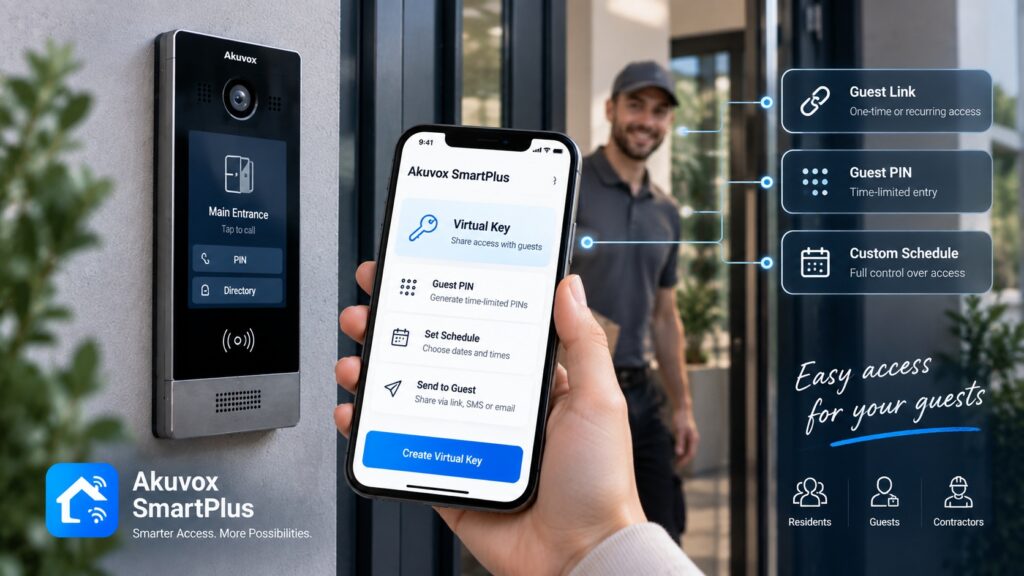
Yes. Temporary or scheduled credentials can be used where supported by the selected system.
Yes. The intercom can provide visitor communication while access control manages authorization and door release.
Yes. Restricted rooms can have dedicated readers and separate permissions for authorized personnel.
Some platforms support centralized administration across multiple properties. The appropriate configuration depends on the selected system.
Compatible access-control systems can support mobile credentials. The exact functions depend on the equipment and platform.
Yes. A compatible access-control system can be integrated with gate operators to manage vehicle access.
Yes. Existing locks, readers, wiring, intercoms, controllers, and network infrastructure can be assessed to determine which components can be reused.
The cost depends on the number of doors and employees, access methods, locks, controllers, wiring, intercom integration, parking requirements, existing infrastructure, and installation complexity. A site assessment is needed to calculate the cost of a specific project.
How It Works
Consultation & Needs Assessment
We discuss your property, security goals, and operational requirements to understand your specific needs.
Customized Solution Design
Our specialists recommend and design an intercom or access control solution tailored to your home, apartment building, or commercial facility.
Professional Installation
Certified technicians install and configure all system components, ensuring seamless integration and reliable performance.
Ongoing Support & Maintenance
We provide system testing, user training, maintenance, and technical support to keep your solution operating efficiently for years to come.
Get a Quote
Need an access control or intercom system? Tell us about your project and get a tailored solution from Akuvox NYC.
Other Services

Latest Articles