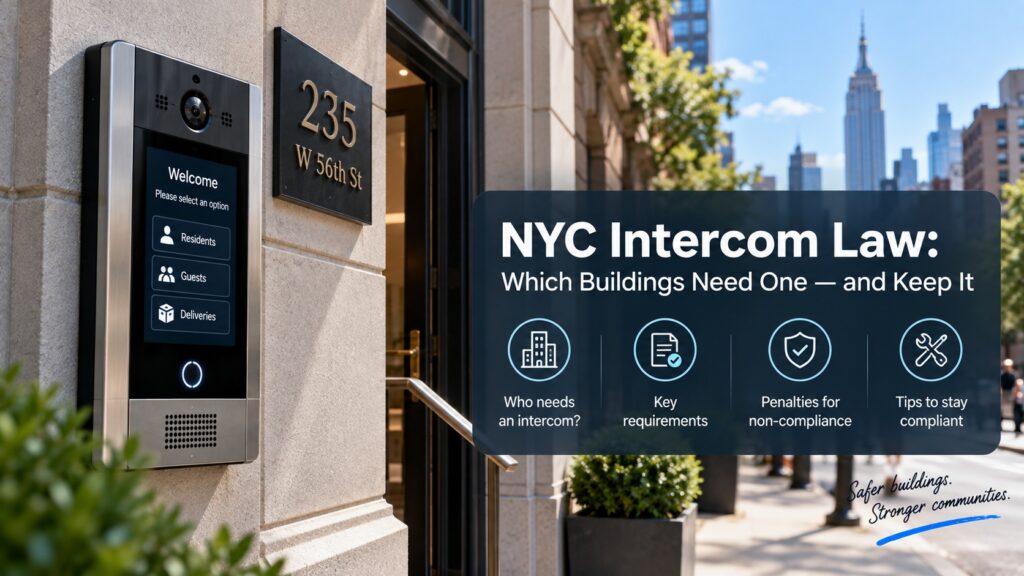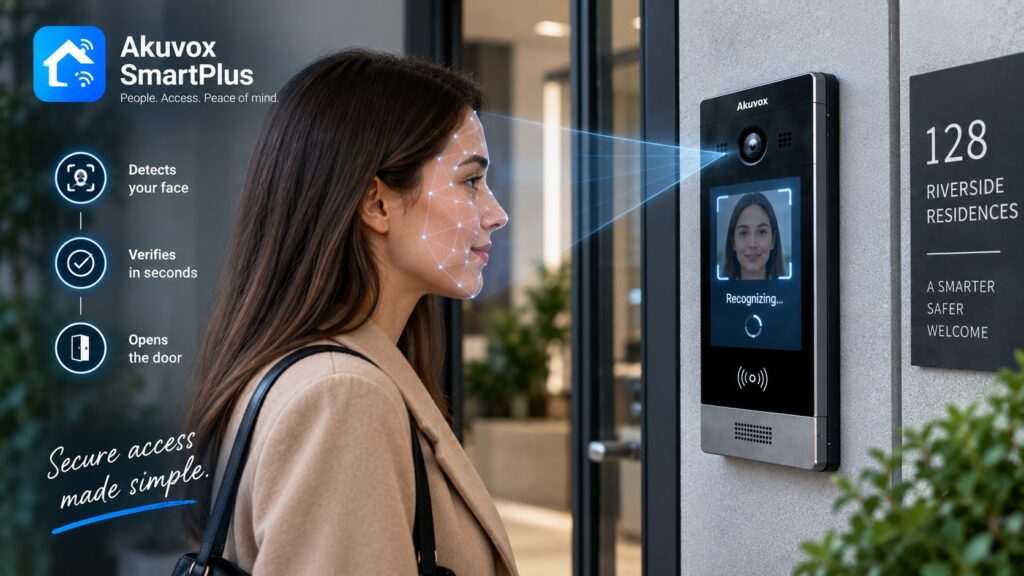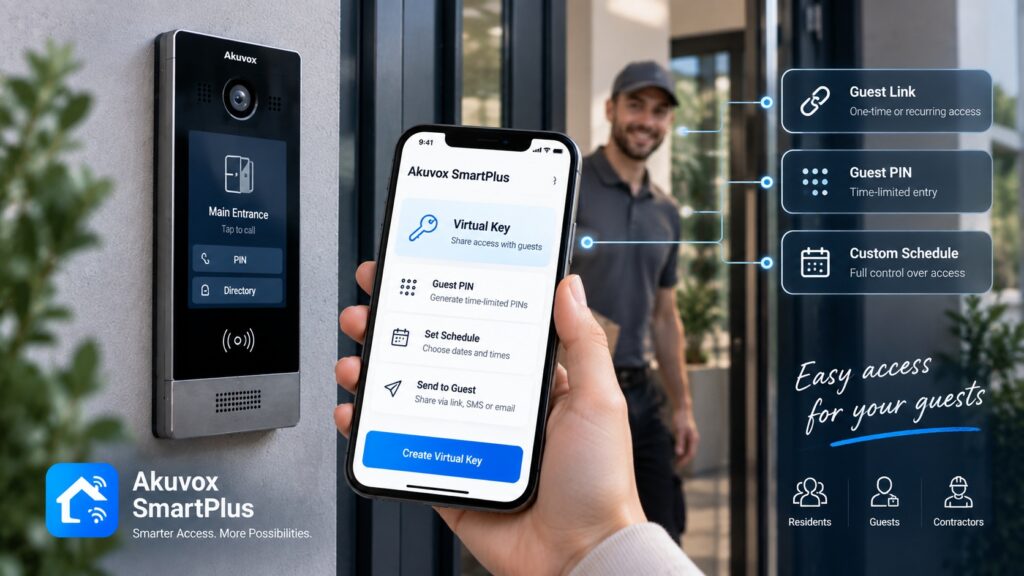

Akuvox access control system in Queens
Akuvox combines access control, intercom, video communication, and mobile management into a connected entry solution. Its product range includes IP-based access control terminals, smart doorphones, indoor monitors, and software for managing users and access. Depending on the selected devices and configuration, users can authenticate with cards, PINs, mobile credentials, NFC, Bluetooth, and other supported methods.

Customized Security Solutions
We design tailored intercom and access control systems based on your property's unique requirements, ensuring the right fit for every project.

Professional Installation
Our experienced technicians handle every stage of the installation process, delivering reliable performance and attention to detail.

Advanced Technology
We provide modern, feature-rich solutions with cloud management, mobile access, and seamless integration capabilities.

Ongoing Support & Maintenance
From system setup to long-term service, our team is committed to keeping your security solutions operating efficiently.
For a property in Queens, the advantage of choosing an Akuvox solution is the ability to design the entrance around the actual access scenario rather than installing separate systems for every function. A main entrance, office door, apartment lobby, parking gate, or restricted area can use the equipment and authentication method appropriate for that location. A properly configured akuvox access control system in Queens can combine these functions into a single entrance-management solution.
What Is Akuvox Access Control?
Akuvox access control is an ecosystem of hardware and software designed to manage controlled entry.
Depending on the project, it can include:
- Access-control terminals.
- Smart doorphones.
- Indoor monitors.
- RFID card readers.
- PIN-based entry.
- Mobile credentials.
- Door-release equipment.
- Cloud management.
- Intercom and video communication.
Akuvox’s access-control terminals are IP-based and can be integrated with existing infrastructure in supported configurations. Some models also support HID compatibility.
The system can therefore be built around a single entrance or expanded to multiple controlled points.
Akuvox Devices for Access Control
Different Akuvox devices perform different functions, so the appropriate combination depends on the property.
Access Control Terminals
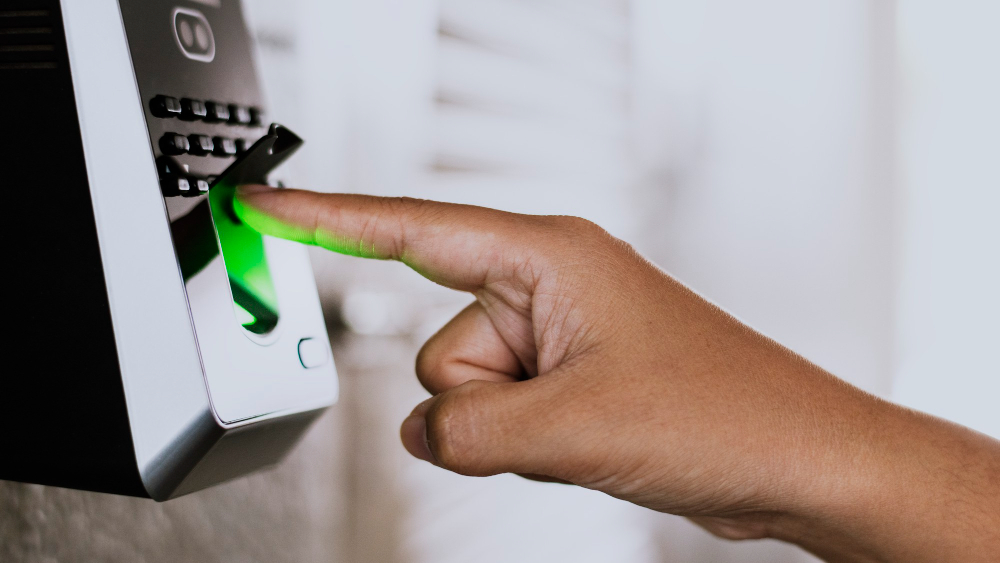
These devices are designed for credential-based entry. Depending on the model, supported methods can include RFID cards, PINs, NFC, face recognition, or other technologies. Akuvox documentation confirms that available access methods vary by device.
Smart Doorphones
Doorphones combine entrance communication with access functions. They can provide audio or video communication with a visitor and support compatible door-opening methods.
Indoor Monitors
Indoor monitors provide a fixed location for answering calls from an entrance and, with compatible configurations, releasing the door.
Door Entry Components
The access system can be connected to compatible door locks, controllers, relays, or other entrance hardware. The exact connection depends on the equipment installed at the property.
Mobile Functions
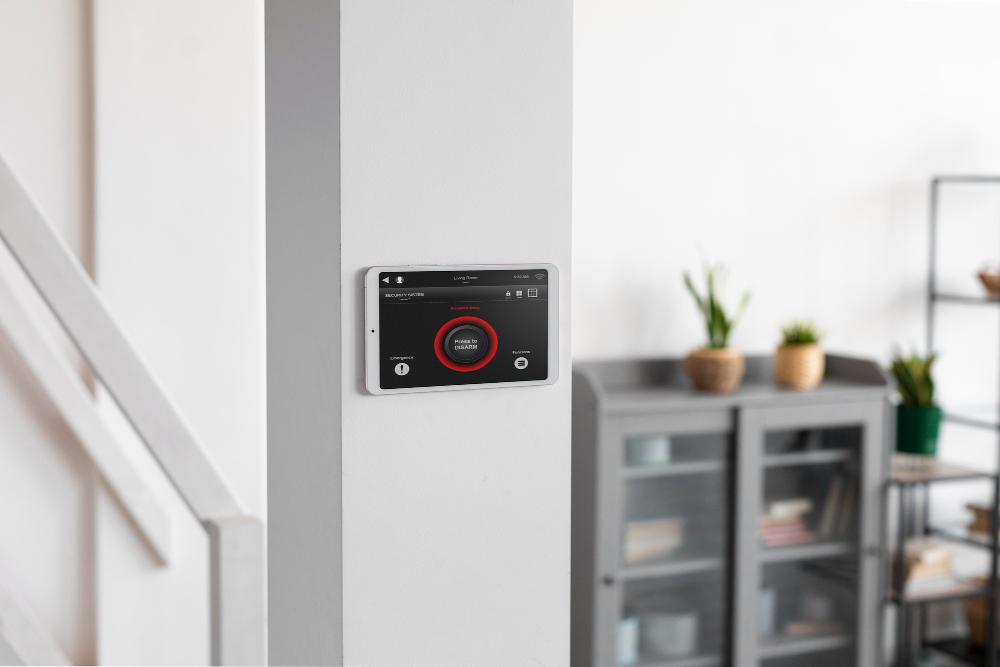
Akuvox SmartPlus can allow supported users to communicate with visitors, view video, open doors, and use virtual keys from a smartphone.
This makes mobile access an option for properties where carrying physical credentials is not the preferred experience.
How Akuvox Controls a Building Entrance
An Akuvox installation can support different entry scenarios depending on the type of user.
Resident or Employee
Credential → Akuvox device → authorization → door release
A user can authenticate using a supported card, PIN, mobile credential, or another configured method.
Visitor
Visitor → Akuvox doorphone → resident or employee → remote door release
The visitor communicates with the person inside, who can verify the request before releasing the entrance.
Administrator
Management platform → users and permissions → connected devices
Administrators can configure users, credentials, access groups, and other settings through the supported management environment.
This separation allows routine users and visitors to follow different access workflows at the same entrance.
Access Methods Supported by Akuvox
The available authentication methods depend on the particular Akuvox model and system configuration.
PIN
PIN codes can be configured for door access. Akuvox supports both public and user-specific PIN configurations on supported devices.
RFID Cards
Supported devices can use RF cards as individual credentials. Akuvox documentation describes support for 13.56 MHz and 125 KHz RF cards on compatible equipment.
Mobile Credentials
Smartphone-based access can be available through compatible Akuvox applications and devices.
NFC
Supported Android smartphones can be used for contactless door opening through SmartPlus and compatible Akuvox equipment.
Bluetooth
Akuvox’s My MobileKey supports Bluetooth-based mobile credentials on compatible doorphones and uses AES-256 encryption for the Bluetooth credential.
Face Recognition and Other Methods
Certain Akuvox models support facial recognition and other authentication methods. The availability of these features should always be checked for the specific device selected for the project.
This model-specific approach is important because not every Akuvox terminal supports every authentication method.
Akuvox Access Control for Different Property Types
Akuvox equipment can be configured for different types of properties, with the system architecture changing according to the entrance requirements.
Apartment Buildings
Residents can use assigned credentials for routine entry, while visitors can contact residents through a doorphone.
Offices
Employees can use controlled access at office entrances, while restricted rooms can have separate authorization requirements.
Commercial Properties
Businesses can combine employee access with visitor communication and controlled service entrances.
Private Homes
A homeowner can use a doorphone or access terminal at the main entrance or gate and communicate with visitors before releasing the door.
Mixed-Use Buildings
Separate access rules can be established for residential and commercial sections where the selected equipment and management platform support the required configuration.
The system should be designed around the number of entrances, users, access methods, and door hardware rather than simply choosing the same device for every location.
Akuvox and Intercom Integration
One of Akuvox’s key advantages is the relationship between intercom and access control.
The functions can be separated as:
Intercom → communication
Access control → authentication
Door hardware → physical entry
For example, a visitor arrives at a building entrance and calls a resident through an Akuvox doorphone. The resident can communicate with the visitor and, where supported, unlock the entrance remotely.
SmartPlus can also provide video communication and remote door opening from a smartphone on compatible configurations.
This means the same entrance can support both credential-based access for regular users and visitor communication for people who do not have permanent credentials.
Akuvox Door and Gate Access
Akuvox equipment can be used at different types of controlled entry points, provided the selected devices and access hardware are compatible.
Possible applications include:
- Pedestrian doors.
- Building entrances.
- Lobby doors.
- Driveway gates.
- Parking entrances.
- Service doors.
The access device does not physically replace every type of lock or gate operator. Instead, it can provide the authentication or control signal required to operate compatible entrance hardware.
For a gate installation, for example:
User identification → Akuvox access device → compatible controller/operator → gate opens
The exact interface should be established during system design.
Akuvox Access Control and Mobile Management
Mobile functionality can change how residents, employees, and administrators interact with the entrance.
The SmartPlus app can allow supported users to:
- See visitors.
- Talk to visitors.
- Open doors remotely.
- Use virtual keys.
- Use supported mobile access functions.
Akuvox’s current SmartPlus documentation also describes NFC-based door opening on compatible Android devices.
For commercial deployments, Akuvox provides management functions for personnel and access control through its SmartPlus environment. Its commercial administrator documentation includes personnel management, access credentials, access groups, and access schedules.
Mobile functionality should therefore be selected according to the actual requirements of the property and the capabilities of the specific devices.
Akuvox Access Control for Multi-Entrance Properties
A larger property may have several controlled points:
Main entrance + side entrance + parking gate + service door
These entrances do not necessarily need identical hardware or access rules.
For example:
- Main entrance — video doorphone and resident access.
- Employee entrance — access-control terminal.
- Parking gate — compatible vehicle access solution.
- Service entrance — restricted credentials.
The management architecture can then organize users and permissions according to the requirements of the property.
For multi-entrance installations, it is important to plan the network, power, door hardware, device locations, and management structure before installation.
Akuvox Access Control for Existing Buildings
Installing Akuvox equipment in an existing building starts with an assessment of the infrastructure.
Important points include:
- Existing locks.
- Door hardware.
- Wiring.
- Network.
- Power.
- Existing intercom.
- Gate operator.
- Access controllers.
Some existing components may be retained if they are compatible with the selected Akuvox equipment.
For example, Akuvox documents integration possibilities with third-party access-control systems through interfaces such as Wiegand and RS485 on supported devices.
This means a complete replacement is not necessarily required in every project.
The existing infrastructure should be checked first to determine which components can remain and which should be upgraded.
Akuvox Access Control for New Construction
New construction provides an opportunity to plan the complete entrance infrastructure before finishing work is completed.
The project can account for:
- Entrance stations.
- Access-control terminals.
- Indoor monitors.
- Network connections.
- PoE.
- Controllers.
- Door hardware.
- Cable routes.
- Future expansion.
Planning these elements in advance can reduce exposed wiring and avoid unnecessary modifications after the building is finished.
It also allows different entrance scenarios to be considered from the beginning. A lobby, parking entrance, service door, and restricted area may all require different access methods.
How to Choose the Right Akuvox Configuration
The appropriate Akuvox equipment should be selected according to the property’s actual requirements.
Property Type
Determine whether the system will serve a home, apartment building, office, commercial property, or mixed-use building.
Number of Entrances
Identify every door and gate that needs communication or controlled access.
Number of Users
Estimate residents, employees, administrators, and other credential holders.
Audio or Video
Decide whether voice communication is sufficient or whether visitors should be visible before access is granted.
Door or Gate
The physical entrance determines which access hardware and interfaces need to be supported.
Access Credentials
Choose appropriate methods such as cards, PINs, mobile credentials, NFC, Bluetooth, or other supported options.
Indoor Monitors
Determine whether residents, reception staff, security personnel, or employees need fixed answering devices.
Mobile Functions
Consider whether users need smartphone-based visitor communication or door access.
Existing Infrastructure
Check the current locks, wiring, network, intercom, and gate equipment.
Integration Requirements
Determine whether Akuvox needs to work with existing access control, cameras, gate operators, or other systems.
Future Expansion
Consider additional entrances, users, or buildings that may be added later.
A practical selection process is:
Property → entrance → user type → access method → communication → door hardware → management → expansion.
Akuvox Access Control Installation in Queens
A successful installation should begin with system planning rather than simply mounting individual devices.
Site Assessment
The entrances, doors, gates, existing access equipment, network, wiring, and power are reviewed.
System Configuration
The required access methods, user groups, visitor workflow, and entrance functions are defined.
Device Selection
Suitable Akuvox terminals, doorphones, monitors, and related equipment are selected.
Network and Wiring Preparation
The required network connections, cable routes, PoE, and power infrastructure are prepared.
Hardware Installation
The selected equipment is mounted and connected at the designated access points.
Device Configuration
Users, credentials, access schedules, door functions, and other supported settings are configured.
Access Credential Setup
Cards, PINs, mobile credentials, or other supported authentication methods are assigned to users.
Intercom and Door Integration
The entrance communication system is connected with compatible locks, controllers, or gate equipment.
Testing
Each entrance is tested with the intended user and visitor scenarios.
User Training
Property managers, reception staff, or other administrators can be shown how to manage the system and user access.
This process helps ensure that the finished system matches the actual requirements of the property.
Why Choose Akuvox for Access Control?
Akuvox can be useful for projects where access control and intercom functions need to work together.
Potential advantages include:
- Integrated access and intercom equipment.
- Multiple device types.
- Video communication.
- Mobile functions on supported configurations.
- Different authentication methods.
- Options for multi-entrance properties.
- Cloud-based management capabilities.
- Integration options with selected third-party systems.
Akuvox’s Smart Access platform is positioned as an integrated access-control and intercom solution with management through PC and mobile applications.
For businesses, Akuvox also offers ACMS, a PC-based access-control management system for small and medium-sized businesses, including staff, device, access-control, and access-log management.
The most important consideration is still the configuration: the selected devices and software should match the property’s doors, users, network, access requirements, and existing infrastructure.
Get an Akuvox Access Control System in Queens
An Akuvox installation should be designed around the actual entrance requirements of the property rather than based on a standard package.
Before requesting a system design, it is useful to determine:
- Property type.
- Number of doors and gates.
- Number of users.
- Existing access hardware.
- Intercom requirements.
- Audio or video requirements.
- Preferred access credentials.
- Mobile access requirements.
- Indoor monitor requirements.
- Management needs.
- Existing network infrastructure.
- Future expansion plans.
Akuvox equipment can be configured for residential and commercial properties in Queens, with the final solution depending on the selected devices and required integrations.
If you are planning an Akuvox installation, a site assessment can help determine which access-control terminals, doorphones, indoor monitors, credentials, software, and entrance hardware are appropriate for the property.
Request a Quote to discuss an Akuvox access-control solution for your property in Queens.
Other Services in QUEENS
Other Locations we Serve
FAQ
Akuvox access control is a combination of access-control terminals, doorphones, software, credentials, and related equipment used to manage controlled entry. The available functions depend on the selected devices and configuration.
The range includes IP-based access-control terminals, smart doorphones, indoor monitors, and related access equipment. Specific features vary by model.
Compatible Akuvox devices can provide door-opening functions and interface with suitable locking equipment. The specific connection depends on the selected device and lock.
It can be integrated with compatible gate operators or controllers where the required interface is supported. The gate hardware should be evaluated during system design.
Yes. Compatible devices can support RF cards and PIN-based access. The exact credential options depend on the model.
Yes. Akuvox smart doorphones can provide video communication with visitors on supported configurations.
Yes. Access control and intercom are core parts of Akuvox's product ecosystem and can be combined in an entrance solution.
Yes. Supported Akuvox configurations can provide mobile door access and visitor communication through SmartPlus. NFC and Bluetooth functions are available on compatible devices.
Yes. Existing locks, wiring, network infrastructure, intercoms, and access-control equipment can be evaluated for compatibility before installation.
Yes. Akuvox provides equipment and SmartPlus functions for residential properties, including resident access credentials, visitor communication, and supported access schedules.
Yes. A system can be designed around multiple doorphones, access terminals, and controlled entrances. The exact architecture depends on the property and selected management platform.
The cost depends on the number of entrances and users, selected Akuvox devices, access methods, door and gate hardware, wiring, network requirements, integrations, and installation complexity. A site assessment is needed to determine the cost of a specific project.
How It Works
Consultation & Needs Assessment
We discuss your property, security goals, and operational requirements to understand your specific needs.
Customized Solution Design
Our specialists recommend and design an intercom or access control solution tailored to your home, apartment building, or commercial facility.
Professional Installation
Certified technicians install and configure all system components, ensuring seamless integration and reliable performance.
Ongoing Support & Maintenance
We provide system testing, user training, maintenance, and technical support to keep your solution operating efficiently for years to come.
Get a Quote
Need an access control or intercom system? Tell us about your project and get a tailored solution from Akuvox NYC.
Other Services
Latest Articles