
Access control system in Staten Island
Managing who can enter a property becomes more complicated as the number of doors, employees, residents, tenants, and visitors increases. An access control system provides a structured way to determine who can enter, which areas they can access, and when their credentials are valid.

Customized Security Solutions
We design tailored intercom and access control systems based on your property's unique requirements, ensuring the right fit for every project.

Professional Installation
Our experienced technicians handle every stage of the installation process, delivering reliable performance and attention to detail.

Advanced Technology
We provide modern, feature-rich solutions with cloud management, mobile access, and seamless integration capabilities.

Ongoing Support & Maintenance
From system setup to long-term service, our team is committed to keeping your security solutions operating efficiently.
Akuvox NYC provides electronic access control solutions for properties in Staten Island, including residential buildings, offices, commercial facilities, warehouses, and gated properties. Systems can be designed around individual doors or expanded across multiple access points.
The right configuration depends on the building layout, distance between devices, existing infrastructure, and the way the entrance is used.
Access Control Solutions for Properties in Staten Island
Electronic access control replaces or supplements traditional keys with credentials that can be assigned to specific users.
Instead of giving everyone the same physical key, a property owner or administrator can create individual access permissions. These permissions can be changed, suspended, or removed without necessarily replacing the physical locking hardware.
A complete system may include readers, access control terminals, door controllers, electronic locks, exit devices, software, and other compatible components.
The configuration depends on the property. A small office may need one controlled entrance, while an apartment building or warehouse can require dozens of doors with different access groups.
What Does an Access Control System Manage?
The basic logic of electronic access management can be summarized as:
Identify → Authenticate → Authorize → Record
First, the system identifies the person using a credential. It then verifies whether that credential is valid. If the user has permission for the particular entrance at that time, the system can authorize access.
Depending on the configuration, the event may also be recorded.
This approach provides property managers and business owners with greater control than simply distributing physical keys.
An access control solution can determine:
- Who is authorized to enter.
- Which doors a person can use.
- When access is permitted.
- Which credentials are active.
- Which credentials have been disabled.
- Which access events have occurred.
Who Can Use an Electronic Access Control System?
Different users often require different permissions.
- Employees. Employees can receive credentials that provide access to designated work areas during approved hours.
- Residents. Residents can be assigned access to building entrances, parking areas, and other spaces relevant to their property.
- Property Managers. Managers may require broader access for administration, maintenance, and emergency situations.
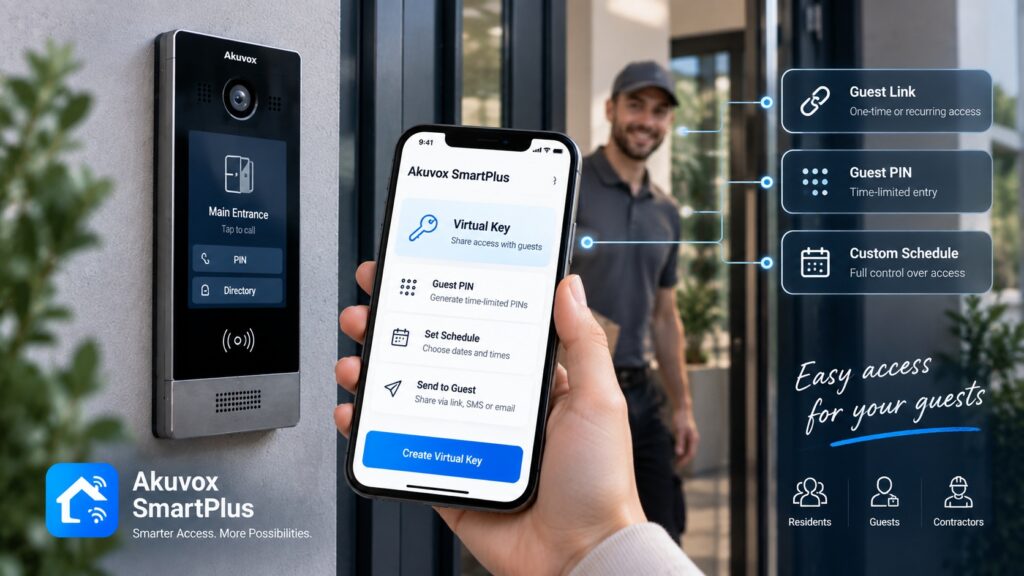
- Visitors. Temporary or controlled access can be provided according to the property’s visitor procedures.
- Contractors. Contractors can receive access only to the areas and times required for their work.
- Service Personnel. Cleaning, maintenance, delivery, and other service workers can be assigned appropriate permissions without receiving unrestricted access.
Separating users into groups makes it easier to maintain consistent access policies.
Access Credentials and Entry Methods
Modern access control systems can support different ways of identifying users, depending on the equipment.
Common options include:
- Key cards.
- Key fobs.
- PIN codes.
- Mobile credentials.
- QR codes where supported.
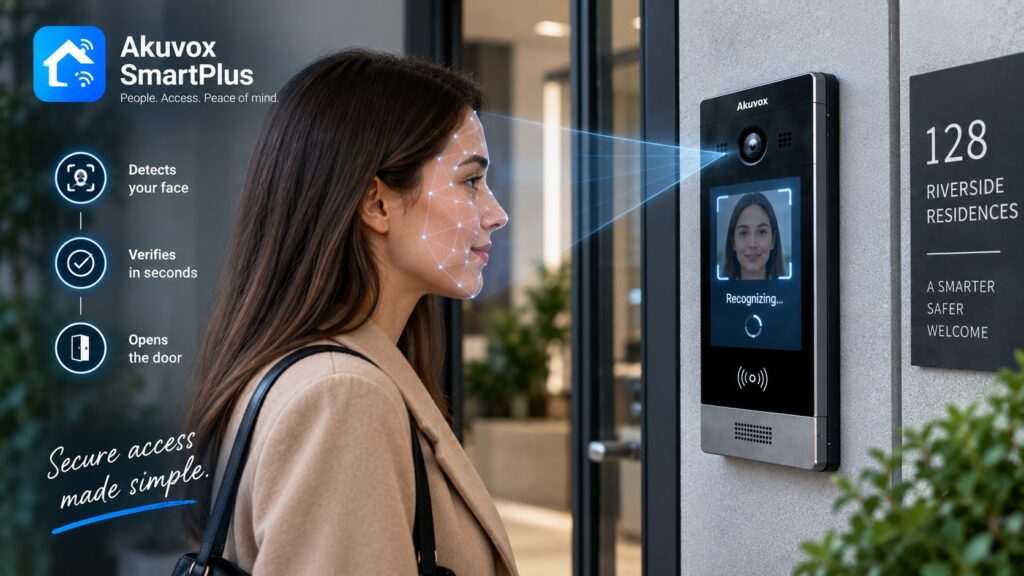
- Biometric authentication where applicable.
The choice should reflect how the property operates.
For example, key fobs may be convenient for residents, while employees may use cards or mobile credentials. A warehouse may use credentials designed for regular staff access, while contractors receive temporary authorization.
Using individual credentials also makes it easier to disable access when a person no longer needs entry.
Where Access Control Can Be Installed
Electronic access control can be applied to different types of entrances and restricted areas.
- Main Entrances. Door access control systems in Staten Island can secure primary building entrances so that only authorized residents, employees, or other users can enter.
- Employee Doors. Businesses can restrict employee-only entrances to people with appropriate credentials.
- Apartment Building Entrances. Residents can receive individual access to common entrances without relying on shared mechanical keys.
- Parking Areas. Access control can be used at parking entrances and pedestrian access points.
- Gates. Compatible gate operators can be integrated with access control equipment for controlled vehicle or pedestrian entry.
- Restricted Rooms. Equipment rooms, storage areas, offices, and other sensitive locations can have separate access permissions.
- Storage Areas. Access can be limited to employees or residents who require entry.
- Server and Equipment Rooms. Sensitive technical areas can be protected with a dedicated access group.
Not every door needs the same level of security. The system can be designed according to the purpose of each access point.
Access Levels and User Permissions
One of the main advantages of electronic access control is the ability to create different permission levels.
For example:
Employee → office during working hours.
Manager → office + restricted areas.
Maintenance → designated technical rooms.
Resident → common areas + assigned entrance.
A property can also use schedules to limit when a credential is valid.
An employee might have access Monday through Friday during business hours, while a building manager may have broader permissions. A contractor could receive access for a specific period and then have the credential disabled.
This makes access management more flexible than issuing identical keys to everyone.
Access Control for Residential Buildings
Apartment buildings and condominiums often have several groups of people using the same property.
Residents need regular access, while visitors, delivery personnel, contractors, and property staff may require different procedures.
An access control system can be used for:
- Main entrances.
- Side entrances.
- Parking areas.
- Garages.
- Amenity spaces.
- Storage rooms.
- Staff-only areas.
Residents can use assigned credentials for routine entry, while visitors can be handled through an intercom or other visitor management process.
For larger properties, separating resident, management, maintenance, and temporary access can make administration easier.
Access Control for Offices and Commercial Properties
Businesses often need to control access not only to the building but also to individual departments or rooms.
For example, employees may be allowed into general office areas while access to management offices, storage rooms, server rooms, or financial areas is restricted.
An electronic system can support:
- Employee access.
- Department restrictions.
- Business-hour schedules.
- Visitor procedures.
- Contractor access.
- Employee onboarding and offboarding.
- Access event records.
When an employee leaves a company, their credential can be disabled without requiring every physical lock to be changed.
Access Control for Warehouses and Industrial Facilities
Warehouses can have large areas with different security requirements.
Employees may need access to general working areas, while inventory rooms, equipment areas, offices, and other locations may require additional authorization.
Access control can be used for:
- Employee entrances.
- Loading areas.
- Inventory zones.
- Equipment rooms.
- Vehicle gates.
- Contractor entrances.
- High-value storage.
A warehouse may also use different access schedules for employees working different shifts.
This creates a more controlled environment while allowing authorized staff to move through the facility without requiring manual approval at every entrance.
Door, Gate and Parking Access Control
Access control hardware must correspond to the physical entrance.
Doors can use compatible electronic locks, electric strikes, magnetic locks, or other locking mechanisms. Gates may require integration with an automated gate operator.
Parking facilities can also use access control for vehicle and pedestrian entry.
The system should be designed around the existing hardware or the hardware planned for the project. Compatibility should be checked before installation because the access controller, reader, lock, exit device, and gate operator need to work together correctly.
Access Control and Intercom Integration
Access control and intercom systems solve different parts of the entry process.
Access control → authorized users.
Intercom → visitor communication.
Video → visual verification.
For example, an employee can use an assigned credential to enter the building without contacting reception. A visitor, however, may need to use an intercom to contact the person they are visiting.
The employee or resident can verify the visitor and, when the system and door hardware support it, release the entrance.
This combination is particularly useful for apartment buildings, offices, commercial facilities, and gated properties where both regular users and visitors need access.
Cloud-Based and On-Site Access Control
Access control systems can use different management architectures.
Cloud-Based Management
A cloud-connected system can provide remote administration for supported equipment. This can be useful when property managers need to manage users or review system information from outside the building.
Potential benefits include:
- Remote administration.
- Centralized management.
- Easier management of multiple locations.
- Remote user updates.
- Reduced need to be physically present for certain administrative tasks.
On-Site Management
A locally managed system keeps administration within the property’s own infrastructure.
This approach may be appropriate for certain standalone installations or properties with specific IT requirements.
The choice depends on the property, network architecture, management preferences, security requirements, and selected equipment.
Monitoring Access Events
Access control can provide information about activity at controlled entrances when event logging is supported.
Depending on the system, records can show:
- Who used a credential.
- Which door was accessed.
- Date and time.
- Whether access was granted.
- Whether access was denied.
- Which credential was used.
These records can help property managers and business owners understand how entrances are being used and investigate access-related incidents.
Event history can also be useful when managing employee access, contractor visits, or unusual activity at restricted doors.
What Happens When an Employee or Resident Leaves?
Traditional keys create a problem when someone leaves a property or organization. A physical key may remain in circulation and cannot always be traced.
Electronic credentials can be managed through a defined lifecycle.
- Create Access. A credential is assigned to a new employee, resident, or authorized user.
- Assign Permissions. The user receives access to the appropriate doors and schedules.
- Modify Access. Permissions can be changed when the person’s role or requirements change.
- Suspend Credential. Access can be temporarily disabled when necessary.
- Remove Access. When the person no longer requires entry, the credential can be deactivated.
This makes electronic access management particularly useful for properties with frequent changes in residents, employees, contractors, or service personnel.
How to Choose an Access Control System
The system should be selected according to the property’s size, users, doors, and operational requirements.
- Number of Users. A small office may have a few dozen users, while an apartment building can have hundreds of residents and staff members.
- Number of Doors. The number of controlled entrances affects the number of readers, controllers, and other components required.
- Property Type. Residential, commercial, industrial, and mixed-use properties have different access requirements.
- Access Methods. The preferred credential may be a card, fob, PIN, mobile credential, or another supported method.
- Required Access Schedules. Consider whether users need unrestricted access or permissions limited to specific days and hours.
- Existing Door Hardware. Locks, strikes, magnetic locks, exit devices, and gate operators should be checked for compatibility.
- Intercom Integration. If the property uses an intercom, the access control system should be compatible with the planned visitor entry process.
- Cloud Management. Properties that need remote administration may benefit from equipment supporting appropriate cloud-based functions.
- Reporting Requirements. If access event records are important, the selected system should provide the required logging and reporting capabilities.
- Future Expansion. The architecture should allow additional doors, users, or properties to be added when necessary.
Upgrading an Existing Access Control System
Older access control installations can become difficult to manage as equipment ages or property requirements change.
Common problems include:
- Lost physical keys.
- Shared credentials.
- Outdated readers.
- No access event records.
- Difficult user management.
- No remote administration.
- Limited integration with intercoms.
- Incompatible or obsolete hardware.
Modernization does not always require replacing every component.
Depending on the existing installation, an upgrade may involve replacing readers, controllers, locks, management software, or other selected components while retaining suitable infrastructure.
The existing doors, wiring, power supplies, network, and access hardware should be evaluated before deciding which parts can remain.
Access Control Installation in Staten Island
Akuvox NYC provides professional access control installation for residential and commercial properties in Staten Island.
A project can include:
- Site assessment.
- Door and gate inspection.
- Identification of controlled access points.
- Review of existing hardware.
- User and permission requirements.
- Equipment selection.
- System design.
- Reader and controller installation.
- Electronic lock integration.
- Intercom integration.
- Credential setup.
- Access schedule configuration.
- System testing.
- Staff or property manager training.
- Ongoing technical support.
For larger properties, installation can be planned in stages to reduce disruption to residents, employees, tenants, and normal business operations.
Why Choose Akuvox for Access Control?
Akuvox provides access control and communication technologies that can be combined into a broader property entry solution.
Depending on the project, the system can include:
- Access control terminals.
- Smart door readers.
- Door controllers.
- Video doorphones.
- Indoor monitors.
- Intercom integration.
- Mobile access.
- Cloud-based management where supported.
This allows access control to work alongside visitor communication rather than operating as an isolated system.
Akuvox NYC can help determine the appropriate combination of equipment based on the number of doors, users, existing hardware, property layout, and desired access procedures.
Improve Access Management in Staten Island
Electronic access control can replace many of the limitations associated with traditional keys and shared entry methods. Individual credentials, access schedules, user groups, event records, and integration with intercoms can provide property owners and managers with greater control over who enters different areas.
The most effective system is designed around the actual property rather than a standard equipment package. Doors, gates, parking areas, users, existing hardware, network infrastructure, and future expansion should all be considered.
Akuvox NYC can assess your property in Staten Island, identify the required access points, select compatible equipment, and provide professional installation and configuration.
Contact Akuvox NYC to discuss your access requirements and develop an electronic access control solution for your residential, commercial, or industrial property.
Other Services in STATEN ISLAND
Other Locations we Serve
FAQ
An access control system manages entry to a property by identifying users, checking their permissions, and controlling compatible doors, gates, or other access points.
A user presents a credential to a reader or terminal. The system checks whether that credential has permission for the specific access point and time. If authorized, the connected locking hardware can release.
Access control manages authorized users, while an intercom primarily provides communication with visitors. The two systems can be integrated to handle both regular and visitor access.
Often, yes. Existing locks, strikes, magnetic locks, exit devices, wiring, and power should be evaluated to determine compatibility with the new equipment.
Yes. A properly designed system can manage multiple access points, depending on the selected controllers, readers, software, and system architecture.
Compatible systems can support mobile access where the required equipment and software provide this function.
Yes. Supported systems can assign schedules so that certain users can access specific locations only during defined periods.
Many access control systems can maintain event logs showing information such as credential use, access point, date, time, and whether access was granted or denied.
Yes. The intercom can handle visitor communication while access control manages authorized users and compatible door release equipment.
In many cases, selected components can be modernized without replacing every part of the installation. The existing infrastructure should be assessed before determining the appropriate upgrade strategy.
The cost depends on the number of doors, users, readers, controllers, locks, gates, wiring requirements, software, intercom integration, and installation complexity. A site assessment is needed to prepare an accurate estimate.
How It Works
Consultation & Needs Assessment
We discuss your property, security goals, and operational requirements to understand your specific needs.
Customized Solution Design
Our specialists recommend and design an intercom or access control solution tailored to your home, apartment building, or commercial facility.
Professional Installation
Certified technicians install and configure all system components, ensuring seamless integration and reliable performance.
Ongoing Support & Maintenance
We provide system testing, user training, maintenance, and technical support to keep your solution operating efficiently for years to come.
Get a Quote
Need an access control or intercom system? Tell us about your project and get a tailored solution from Akuvox NYC.
Other Services

Latest Articles