
Access Control Credentials Compared: Cards, Fobs, PINs, Mobile

Every access control system comes down to one question at the door: how does it know you are allowed in? The answer is your credential — the card, fob, code, phone, or face that proves you belong. Choosing among access control credentials is one of the most consequential decisions for a building, because it sets the balance of security, convenience, and cost that residents and staff live with every day.
This guide compares the common credential types in plain terms, with the trade-offs that actually matter when you are specifying a system. We install access control across the boroughs, so the aim is to help you match the credential to your building rather than chase whatever is newest.
In short: key cards and fobs are simple and familiar, PIN codes need no hardware to carry, mobile credentials are convenient and hard to clone, and biometrics like facial recognition are the most effortless but raise privacy questions. Most strong systems mix a couple of these.
What an access control credential is
 Before comparing types, it helps to be clear on the concept. A credential is simply the thing a reader checks to grant or deny entry.
When someone presents a credential — taps a card, enters a code, or shows their face — the reader passes it to the system, which checks whether that identity has permission for that door at that time, then releases the lock or refuses. Every credential type does the same job; they differ in how they are carried, how secure they are, and how easy they are to manage.
That distinction matters because the wrong frame leads to bad decisions. A building that fixates on the cheapest credential can end up with weak security, while one that chases the most advanced option can overspend on a door that never needed it. The useful question is not which credential is best in the abstract, but which one fits a given door, a given resident population, and a given budget.
Key cards and fobs
The workhorse of access control is the RFID card or fob, typically running at 13.56 MHz, which residents tap on a reader. It is the most widely used credential for good reason.
- Familiar and cheap: Cards and fobs are inexpensive, often just 3 to 11 dollars each, and everyone already knows how to use them.
- Easy to issue and revoke: A lost card is deactivated in the system in about 30 seconds and a new one issued, without changing any hardware.
- The catch: A physical card can be lost, shared, or in some older formats copied, so it is convenient but not the most secure option on its own.
Card security also depends heavily on the format. Older low-frequency cards are easy to clone with cheap tools, while modern encrypted credentials are far more resistant. If a building is still running decades-old card technology, upgrading the credential format is often a bigger security win than adding cameras, because it closes the easiest way in.
PIN codes
A keypad credential asks residents to enter a 4 to 6 digit code, which means there is nothing to carry or lose. It is a staple for common doors and amenity spaces.
The appeal is obvious: no card, no fob, no app, just a code anyone can use. The weakness is equally clear — codes get shared, watched over a shoulder, or written down, and they rarely change on their own. PINs work best for lower-security doors, or paired with another credential so the code alone is not the only thing standing between an intruder and the building.
Mobile credentials
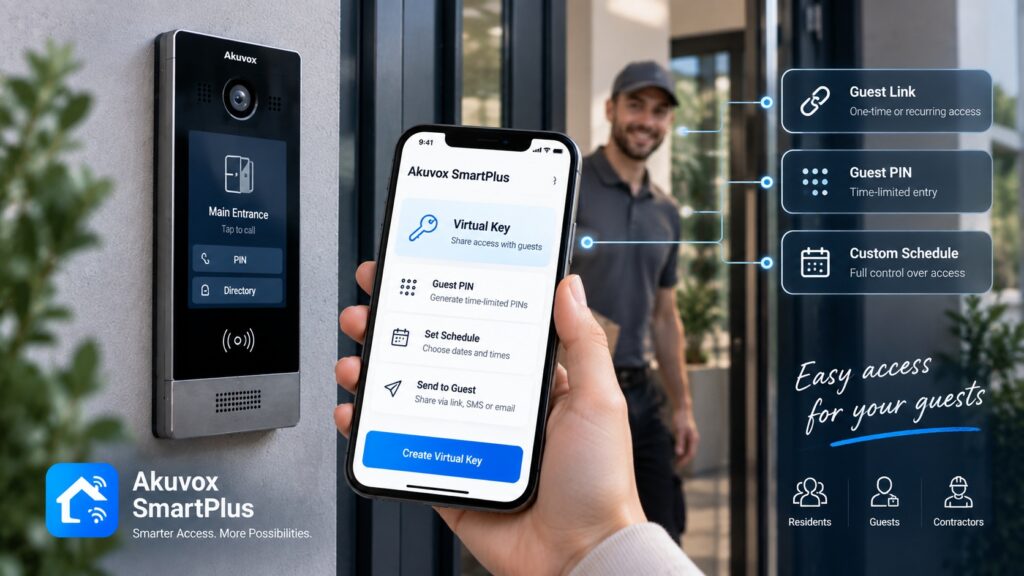
A mobile credential turns a resident’s smartphone into their key, usually over Bluetooth, so they unlock the door from the phone they already carry.
- Always with you: People rarely forget their phone, and there is no separate card to lose, which cuts down on lockouts and reissues.
- Harder to clone: Mobile credentials are encrypted and far more difficult to copy than an old-format card.
- Easy to deliver: A manager can send a credential to a new resident’s phone remotely instead of handing over hardware in person.
- The requirement: Residents need a compatible smartphone and the app, which is rarely an obstacle today but is worth noting for mixed-age buildings.
For managers, the remote-delivery point is bigger than it sounds. Issuing and revoking a credential without a site visit turns resident turnover from a scheduling problem into a quick task, and it removes the lingering risk of a former resident keeping a working card. In a building with frequent moves, that alone can justify the shift to mobile.
Biometrics and facial recognition
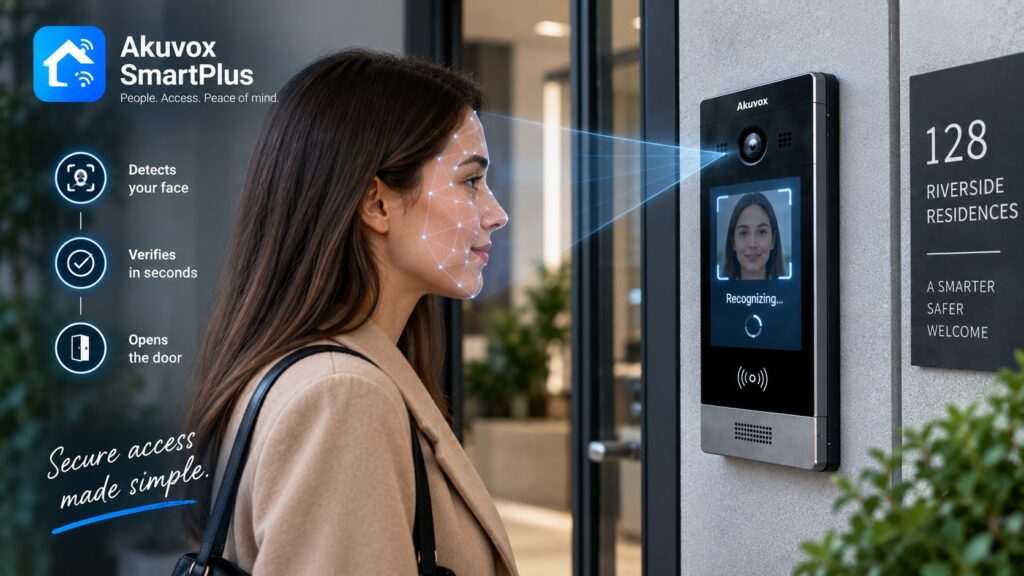
 The most effortless credential is the one you cannot lose because it is you. Biometric access, most commonly facial recognition at the door, identifies residents by a physical trait.
The upside is genuine convenience and security: nothing to carry, nothing to share, and entry in about 1 second as the resident approaches. The consideration is privacy. Collecting biometric data carries responsibilities and resident sensitivities, and the rules around it continue to evolve. This is general information, not legal advice, so a building considering biometrics should confirm current requirements for its situation. Used thoughtfully, face entry is powerful; it simply deserves more care than a card.
There is also a practical fit question. Biometric entry shines at a busy main door where speed matters and residents pass through constantly, but it is overkill for a rarely used side gate. Buildings that deploy it well tend to use it at the front and rely on simpler credentials elsewhere, rather than putting the most sensitive option on every door.
Credentials compared at a glance
Here is how the main options stack up on the things buildings weigh.
| Credential | Security | Convenience | Cost | Best for |
|---|---|---|---|---|
| Key card or fob | Moderate | High | Low | General resident access |
| PIN code | Lower | High | Very low | Amenity and common doors |
| Mobile credential | High | Very high | Moderate | Modern, app-friendly buildings |
| Facial recognition | High | Very high | Higher | Premium, hands-free entry |
No single row wins outright, which is exactly why the choice depends on the door and the building rather than on a universal “best” credential.
Which credential for which building
Matching the credential to the situation is where the decision gets practical.
- Standard apartment buildings: Cards or fobs remain the dependable default, often with mobile credentials offered alongside.
- App-forward buildings: Mobile credentials suit younger, smartphone-first residents and cut down on physical key management.
- Common and amenity doors: PIN codes are a low-cost fit for gyms, mail rooms, and shared spaces.
- Higher-security or premium entries: Facial recognition delivers hands-free entry where the building wants it and accepts the added care.
Combining credentials
The strongest systems rarely rely on one credential. Combining them either raises security or covers more residents.
2-factor entry — requiring a card and a PIN at a sensitive door, for instance — makes a single lost credential far less dangerous. Just as often, buildings offer several options in parallel, letting one resident tap a fob while another uses their phone, so the system fits everyone instead of forcing a single method. A good platform supports this mix on the same doors.
The right combination is a judgment call, not a maximum. Layering two credentials on every door would frustrate residents for little gain, so the art is applying stronger requirements only where the risk justifies them, while keeping everyday entrances quick. A thoughtful design raises security exactly where it matters and leaves the rest convenient.
Managing credentials
Whatever the type, credentials have to be issued, tracked, and revoked, and this administration is where a cloud system earns its keep.
From a web portal, a manager can grant a new resident access, set which doors and hours apply, and instantly revoke a credential when someone moves out or loses a card. That central control turns turnover into a quick task and closes the security gaps that open when old cards and codes linger. With an Akuvox platform, intercom and access credentials live in the same system, so a resident is managed once rather than in two places.
The security payoff of good management is easy to underestimate. Most real-world breaches in a building are not clever attacks; they are old credentials that were never turned off. A system where every card, code, and phone can be revoked instantly from one place quietly closes that gap, which is why centralized management is as much a security feature as any lock.
Credentials and your Akuvox system
Because Akuvox builds readers and access hardware alongside its intercoms, a building can run entry and credentials on one platform.
That means the same system handling the front-door video call can also manage fobs, PINs, mobile credentials, and face entry at the main door and amenity spaces, all administered together. For a manager, the unified picture reduces both cost and the small administrative errors that come from stitching separate products together.
Frequently asked questions
What are access control credentials?
They are the things a system checks to grant entry — key cards, fobs, PIN codes, mobile credentials, or biometrics like facial recognition — each proving a resident is allowed in.
Which credential is most secure?
Mobile credentials and biometrics lead because they are hard to clone or share, while a PIN alone is the easiest to compromise; combining two raises security further.
Are key fobs outdated?
Not at all; cards and fobs remain a low-cost, dependable default, though many buildings now add mobile credentials alongside them.
Is facial recognition legal for access control?
It is used in access control, but biometric data carries privacy responsibilities and evolving rules, so confirm current requirements for your building before deploying it.
Can one system use several credential types?
Yes, a good access platform supports cards, codes, phones, and biometrics together, so a building can fit every resident and raise security where needed.
How do I choose a credential for my building?
Match it to the door and the residents: cards or fobs for general access, mobile for app-friendly buildings, PINs for amenity doors, and biometrics where fast, hands-free entry is worth the extra care.
Choosing the right credential is easier with someone who installs all of them. See our access control service, browse Akuvox hardware, or tell us about your building and we will recommend the right mix.
Related Articles